Page 14
8. Emissions Measurement
8.1 Gas Analysis
Calibrate the sensors before
each emission test for best results.
After the 1-minute auto-zeroing phase, the instrument switches
to Gas Analysis mode. The measurement values can be viewed
on 3 display pages: a zoomed in 4-line display and 2 full 9-line
displays. All line items are user-selectable (see Display Values
below). Press Up/Down to scroll between the pages.
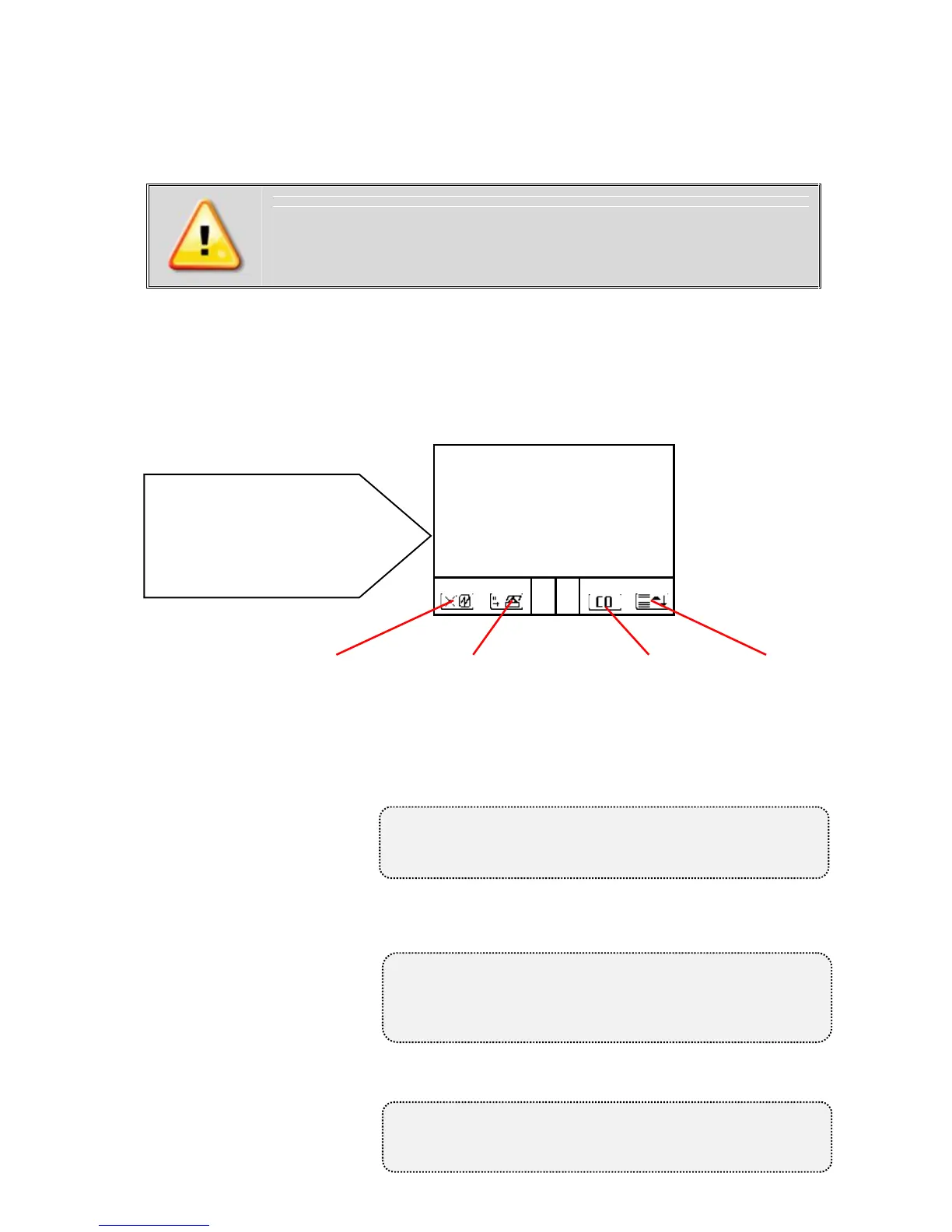
Bypass Switch (Pro IN)..Turn on/off fresh air bypass to purge
Info Screen (Pro Easy)....View diagnostic info on Control screen
Quick Print............Prints on-screen measurement values
CO Bypass.............Manually turn on/off CO bypass pump
Display Lines.......Choose measurement values to display by
pressing F4 then Up/Down/Right/Left
Quick
Print/Save to
memory
<F2>
O2 8.2 %
CO 431 ppm
NO 126 ppm
NO2 65 ppm
To change F1 hotkey from default, go to
Adjustments -> Internal -> F1 Hotkey
Turn on CO bypass pump to protect CO
sensor from high concentrations
Pump automatically activates at 4000ppm!
To change F4 hotkey from default, go to
Adjustments -> Internal -> F4 Hotkey
Bypass Switch (Pro IN)
Info Screen (Pro Easy)
<F1>
Tip: To apply O2 correction,
go to Adjustments/Ref. O2
and input O2 correction %.
Then go to Adjustments/ Unit
and change unit to O2%
undiluted.



 To Next Page