EasyManua.ls Logo

Ecom j2kn pro - NO, NO2, SO2, & High CO Sensors

Ecom j2kn pro
44 pages
Print Icon
To Next Page IconTo Next Page
To Previous Page IconTo Previous Page
Loading...
Page 32
15.4 How to Change NO, NO2, SO2, and High CO
Sensors
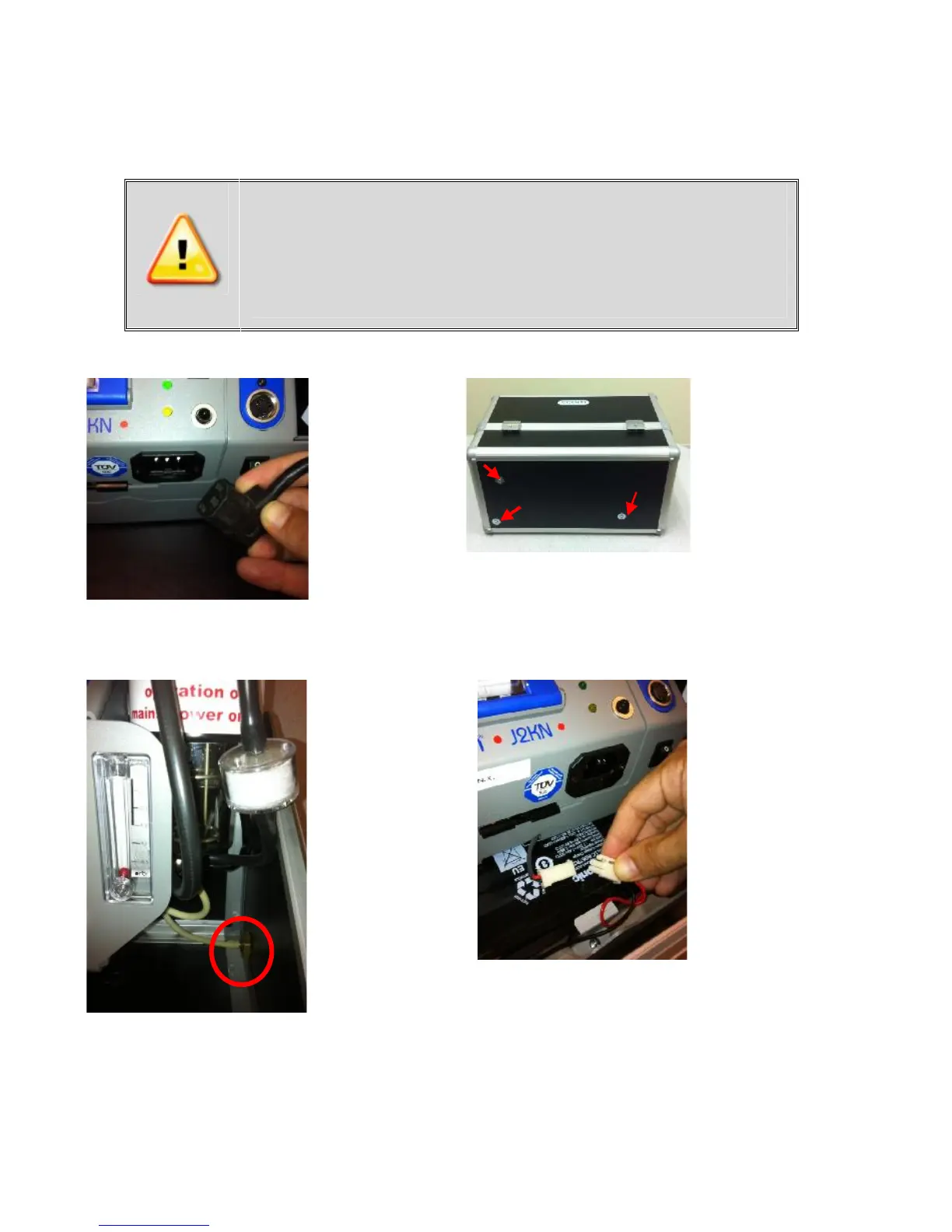
Step 1:
Disconnect
power cord
Remove these
screws
Step 2:
Set J2KN on its
back side to
expose the 3
screws that
attach base
unit to carrying
case
Step 3:
Return J2KN
to upright
position and
disconnect
drain hose
Firmly grip
base unit
and pull up
and out to
remove from
carrying
case
Step 4:
Loosen both
thumb screws
located below
power cord
socket, pull out
battery drawer,
and disconnect
battery leads
Improper installation voids warranty!
Please mark connector when removing old
sensor and insert new sensor into correct
connector to prevent destruction of the
sensor and main board.
(continued on next page)

Other manuals for Ecom j2kn pro

Related product manuals