Page 15
8.1 Gas Analysis (continued)
Core Stream Search
To obtain the most accurate gas
sample, the end of the probe should be
positioned in the center of the exhaust
stream or the “core stream” where the
thermocouple is fully surrounded with
the highest gas temperature.
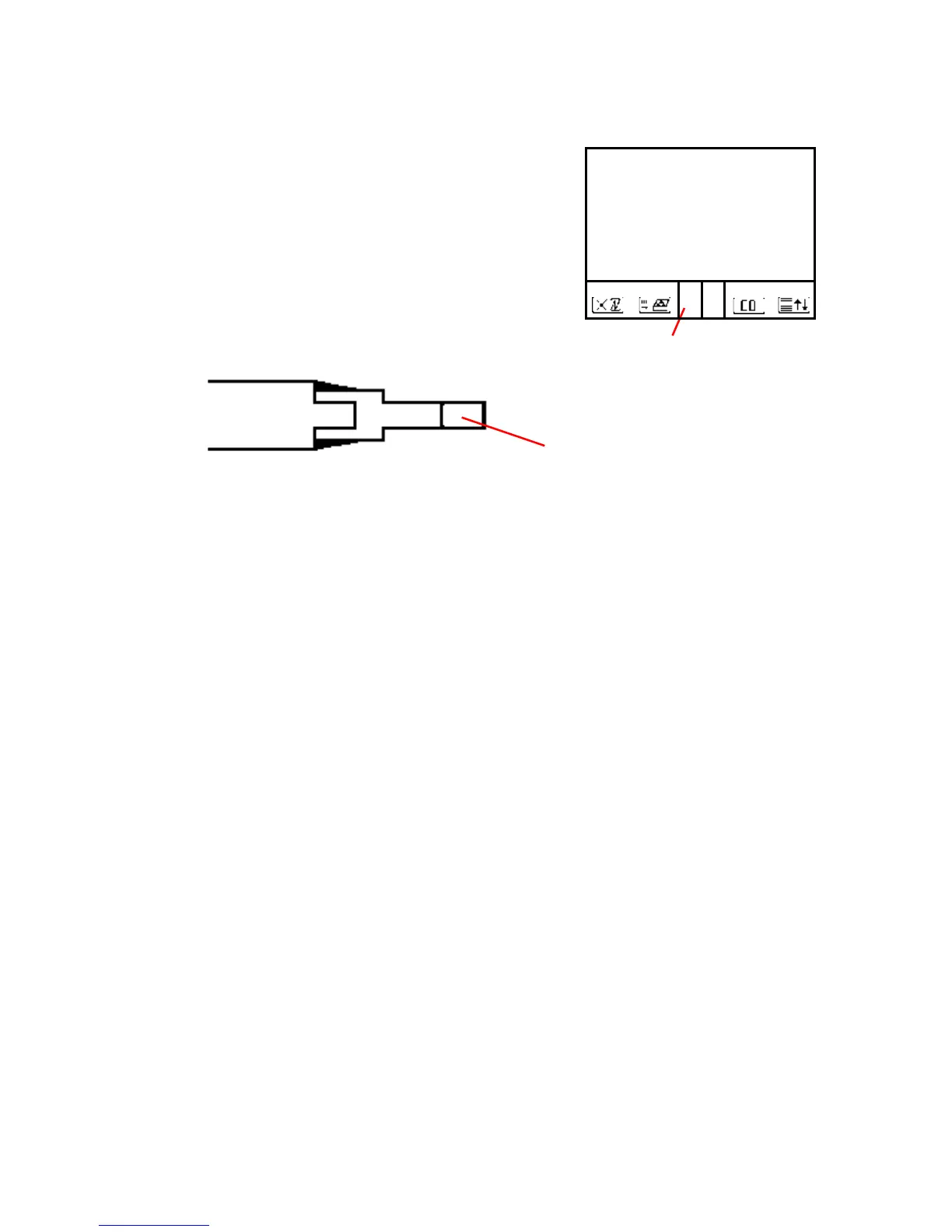
A + or – symbol displays in the core stream box (see fig-
ure above), indicating a trend towards positive or negative
temperature. As long as the display shows a + symbol, the
measured temperature is increasing and the probe tip is
moving towards the core stream. If a - symbol is displayed,
the measured temperature is decreasing and the probe tip is
past the core stream. Pull the probe back slightly to reach
the core stream, and adjust the probe cone so that the probe
is firmly in place. When no temperature change is recorded
for at least 3 seconds, the trend indication will clear.
Calculated Values
Calculated values include CO2, efficiency, losses, and ex-
cess air. They are defined only when realistic values for O2
and temperature are available. Otherwise, the values will be
dashed out on the display. For the calculated values to ap-
pear on the display, the O2 concentration must be less than
20.5% and gas temperature must be more than 5 degrees
hotter than ambient temperature:
O
2
< 20.5 % and T.Gas - T.Air > +5°C
When these conditions are met, all calculations will display.



 To Next Page