1. Surface tension conditioner layer
( patent pending)
8. Mounting bracelet and U-bolt set
3. Temperature & humidity sensor
9. Power cord for built-in heater
4. Light & UV sensor, LED indicator
10. USB port (factory use only )
11.Calibration button (factory use
only )
6. NORTH alignment indicator
Table 2: Sensor package assembly component list
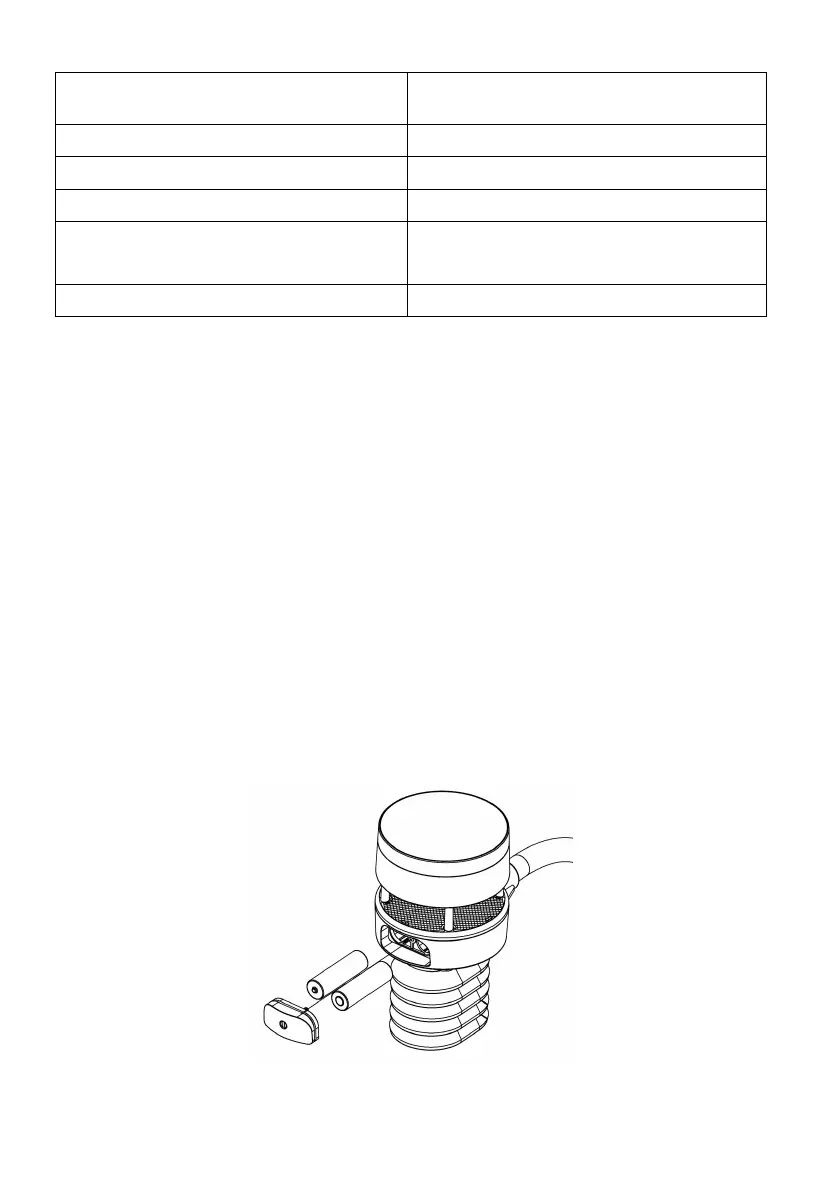
4.2.1 Install batteries in sensor package
Open the battery compartment with a screwdriver and insert 2 AA batteries
in the battery compartment, and press “Reset” button, the LED indicator on
the back of the sensor package (item 4) will turn on for 3 seconds and then
flash once every 4.8 seconds indicating sensor data transmission. If you did
not pay attention, you may have missed the initial indication. You can
always press the reset button to start over. Make sure you see the flash once
every 4.8 seconds.
If sensor has been put outside for some time, and solar panel has charged up
the internal accumulator fully or partially, if you install the 2 AA backup
battery, the system might not start up properly. So you can always make a
system reset by press the “Reset” button.
Figure 7: Battery installation diagram



 To Next Page