2 - 8 AG45134 Rev. 3
Operator Menus
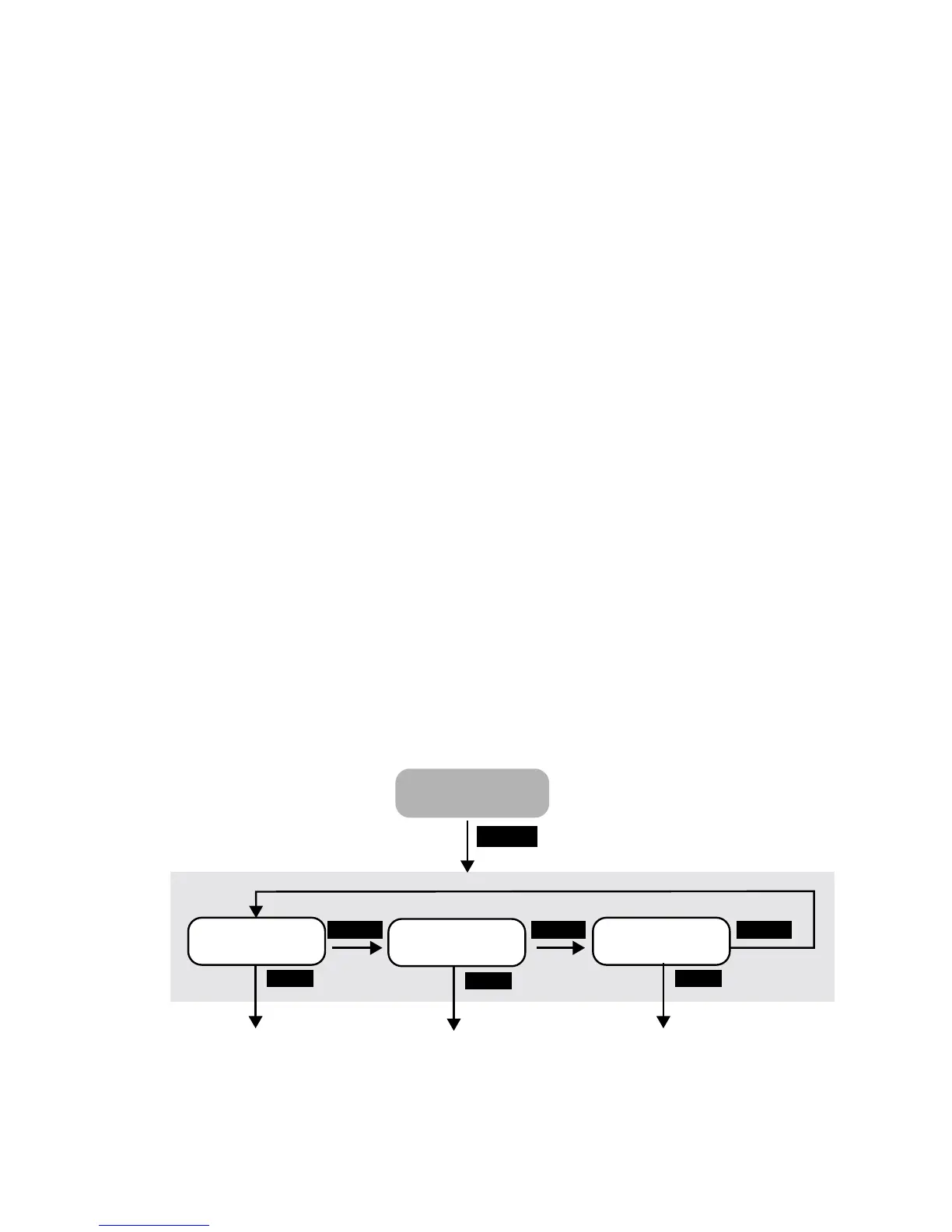
There are three operator menu options:
• User Preference Menu (See page 9).
• User Maintenance Menu (See page 12.)
• Test Pattern Menu (See page 14.)
Menu Selection
Follow these steps to set the parameters in any menu.
Step 1. Press MENU to enter the user menu system.
Step 2. Press SELECT until the sub-menu you want displays on the LCD.
Step 3. Press NEXT to enter the selected sub-menu.
Step 4. Set the parameter to what you want.
Step 5. Press SELECT to change the value.
Step 6. Press NEXT to go to the next parameter until you have completed
your selections.
Step 7. Repeat steps 4 and 5 until all changes are made.
Step 8. Press MENU to exit the user menu system.
Figure 2-5 User Menu Structure
Preferences
Test
Patterns
SELECT
NEXT
User
Preferences
User
Maintenance
Test
Patterns
Tes t
Patterns
SELECT SELECT
ONLINE
MENU
User Menus
NEXT
NEXT



 To Next Page