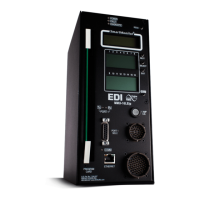
210E / 210ECL / 2010 / 2010ECL / 2018ECL SERIES SIGNAL MONITOR
OPERATIONS MANUAL
Eberle Design Inc. Page 8
2.16 WATCHDOG MONITORING DISABLED INDICATOR
When the WDT ENABLE switch is in the OFF position to disable Watchdog Monitoring of
the cabinet Controller, or the AC Line voltage is below the Watchdog disable level, the
Signal Monitor will flash the WDT ERROR indicator on the front panel once every 2
seconds. This function informs the service technician that the cabinet Controller Watchdog
monitoring function is disabled.
2.17 RED FAILURE MONITOR DISABLED INDICATOR
When the Red Fail Monitoring function is disabled because the Red Enable input is not
active or the EE input (MC Coil) is active or a Special Function input is active, the Signal
Monitor will flash the RED FAIL indicator on the front panel once every 2 seconds. This
function informs the service technician that Red Fail Monitoring function is disabled.
2.18 DIAGNOSTIC DISPLAY MODE (210E / 2010)
The 210E / 2010 models provide two means of displaying the individual Green, Yellow, and
Red field status. The No Fault Diagnostic Display mode shows the individual colors while
the monitor is not in the fault mode (intersection operating). The Fault Diagnostic Display
mode shows the individual colors that were active at the time the monitor triggered to the
fault mode (intersection in flash). The Fault Diagnostic Display mode also provides a review
of previous fault events.
2.18.1 NO FAULT DIAGNOSTIC DISPLAY
When the 210E / 2010 model is not in the fault state, the unit can display the active Green,
Yellow, and Red field status individually. To enter this display mode depress and hold the
Reset button. Each time the Reset button is activated and held, the next set of colors will
be displayed on the channel status indicators. The display will continue to show the
selected color as long as the Reset button is activated. This mode only affects the monitor
display and normal fault processing will continue to occur. The sequence is as follows:
Reset Fault Status LEDs Channel Status LEDs
#1 (G) AC POWER LED flashes Green field status 1-16
#2 (Y) VDC FAILED LED flashes Yellow field status 1-16
#3 (R) WDT ERROR LED flashes Red field status 1-16
... (repeats back to top)
2.18.2 FAULT DIAGNOSTIC DISPLAY
Once the 210E / 2010 model has been triggered by a fault, the Green, Yellow, and Red
field input status active at the time of the current fault and the two previous faults may be
displayed individually. This status is not reset by an AC Line power interruption. To enter
this display mode remove the Program Card. The sequence is as follows:
Reset Event PCA LED Fault Status LEDs Channel Status LEDs
--- #1 Single flash Current Fault Status (newest) Current channel status
#1 #1 Single flash (G) AC POWER LED flashes Green field status 1-16
#2 #1 Single flash (Y) VDC FAILED LED flashes Yellow field status 1-16
#3 #1 Single flash (R) WDT ERROR LED flashes Red field status 1-16
#4 #2 Double flash Event #2 Fault Status Event #2 channel status
#5 #2 Double flash (G) AC POWER LED flashes Green field status 1-16
#6 #2 Double flash (Y) VDC FAILED LED flashes Yellow field status 1-16
#7 #2 Double flash (R) WDT ERROR LED flashes Red field status 1-16
#8 #3 Triple flash Event #3 Fault Status (oldest) Event #3 channel status


 To Next Page