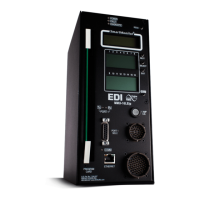
210E / 210ECL / 2010 / 2010ECL / 2018ECL SERIES SIGNAL MONITOR
OPERATIONS MANUAL
Eberle Design Inc. Page 21
Section 4
INSTALLATION
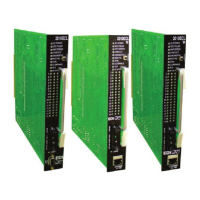
The Signal Monitor is a plug-in module for the Type 170/179 output file. When inserted into
the output file without the Red Interface cable assembly, it will operate as a standard 210
Signal Monitor.
4.1 ADAPTING RED MONITORING
A Red Interface Adapter PCB and an Interconnecting cable are used to adapt Red Signal
Monitoring to the controller cabinet assembly. The interconnecting cable is terminated at
each end with identically polarized 20 pin plugs. To connect the Signal Monitor with the
adapter PCB, insert the Interconnecting cable plug into the Red Interface connector (P1)
until the two ejector latches "snap" into place over the cable plugs.
4.1.1 RED FIELD INPUTS
The pins numbered 1,2,3,5,7, and 9 through 19 of the Red Interface connector P1
correspond to Red channel inputs on the Signal Monitor. All unused Red channel inputs
must be terminated to AC+. Pin #20 of P1 is the Red Enable input and must be active to
enable Red Failure Monitoring, GYR-Dual Indication Monitoring, and Clearance Monitoring.
The Red Enable input is normally connected to the load switch AC+ buss in order to disable
Red Failure Monitoring, GYR-Dual Indication Monitoring, and Clearance Monitoring when
the intersection is in hardware flash.
4.1.2 SPECIAL FUNCTION PREEMPT INPUTS (SF1, SF2)
The pins numbered 8 and 6 of Red Interface connector P1 are Special Function (SF) inputs
#1 and #2 respectively. These inputs require an AC+ input to disable the Red Failure
monitoring function during preemption. An active signal on either input will disable Red
Failure monitoring. The RED FAIL indicator will then flash once every two seconds to
indicate that Red Failure monitoring is disabled.
4.1.2.1 SPECIAL FUNCTION PREEMPT POLARITY
Option Switch #5 of SW3 labeled "POLARITY" may be used to change the polarity of the
Special Function input #1. When the switch is in the OFF position, the Special Function
input #1 will be active when AC+ is present. AC+ present on either input will disable Red
Failure monitoring. An unused preemption input may be left OPEN (no connection) if the
polarity switch is in the OFF position. When the switch is in the ON position, the Special
Function input #1 will be active when AC+ is NOT present. Lack of AC+ on input #1 will
disable Red Failure monitoring.
- WARNING -
THE P1 RED INTERFACE CABLE SHOULD ALWAYS BE UNPLUGGED BEFORE
REMOVING THE UNIT FROM THE CABINET TO PREVENT POTENTIAL
EXPOSURE TO ELECTRICAL SHOCK.


 To Next Page