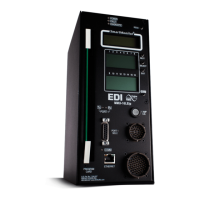
210E / 210ECL / 2010 / 2010ECL / 2018ECL SERIES SIGNAL MONITOR
OPERATIONS MANUAL
Eberle Design Inc. Page 30
Section 7
TROUBLE SHOOTING
SYMPTOMS:
Will not power on
CAUSES:
A) Blown fuse
B) Internal power supply is low
C) No AC input to the monitor
SOLUTIONS:
A) Remove the fuse and verify with an Ohm meter. Replace if necessary with
a fuse with the same current rating.
B) Check the unregulated voltage across filter capacitor C78 with an
oscilloscope or volt meter. It should read approximately 170 Vdc when the
AC Line is equal to or greater than 110 Vrms. If the regulated supply
(VDD) is less than 4.5 Vdc the internal power supply monitoring circuit
(U17) will hold the MPU in reset and the DIAGNOSTIC indicator on the
front panel should illuminate. Measure the regulated voltage across
capacitor C28. If it measures lower than 5 _+0.5 Vdc the regulated supply
may be overloaded or shorted to ground.
C) If the fuse is not blown then the monitor may not be getting AC Line or
Neutral to the edge connector of the monitor.
SYMPTOMS:
Faults when AC power is applied
CAUSES:
A) Program card is absent or not seated properly
B) AC Line level is low
C) Memory device fault
D) No internal watchdog pulses
SOLUTIONS:
A) The PCA indicator on the front panel will illuminate. Re-insert the program
card with the diode side of the card facing the front panel slot and depress
the RESET switch. The rear edge of the program card should be flush
with the front panel.
B) Measure the AC Line voltage level with a volt meter. If it is below the
required "drop-out" level, the monitor will transfer the Output relay
contacts and enable the STOP TIME output to the controller. The AC
POWER indicator on the front panel will flash at a rate of 2 Hz to indicate
the "brown-out" condition.
C) The memory devices are verified when AC Line power is applied or a
Reset command is issued. If a memory fault is detected the MPU
executes a STOP instruction. This causes all MPU activity to cease. Refer
to Section 2.15.
D) Absence of internal watchdog pulses may be due to the following
conditions: the MPU is not executing or completing the program loop or
the hardware to detect the internal watchdog pulses is not functioning.
Place an oscilloscope probe on U4.2. If there are no pulses, depress the
front panel reset switch to re-start the MPU. If the watchdog pulses are
now present on U4.2 then trace the remaining pulse detection hardware
for the required waveforms.
SYMPTOMS:
Required channels will not conflict


 To Next Page