210E / 210ECL / 2010 / 2010ECL / 2018ECL SERIES SIGNAL MONITOR
OPERATIONS MANUAL
Eberle Design Inc. Page 38
DCD, DSR, CTS, and RTS are provided for compatibility with Data Terminal Equipment
(DTE device) control signals. If required by the Data Terminal Equipment device (PC),
DCD may be driven high by inserting jumper E2.
9.4.1 EIA-232 CABLE TO A PC
A typical cable assembly for a DB-9 connector on the PC would be a straight through
connection as follows:
PC DB-9 Monitor DB-9
RX pin 2 connect to TX pin 2
TX pin 3 connect to RX pin 3
GND pin 5 connect to GND pin 5
A typical cable assembly for a DB-25 connector on the PC would be as follows:
PC DB-25 Monitor DB-9
RX pin 3 connect to TX pin 2
TX pin 2 connect to RX pin 3
GND pin 7 connect to GND pin 5
9.4.2 EIA-232 CABLE TO A 170 CONTROLLER UNIT
A typical cable assembly for 170 CU connector would be as follows:
170 Monitor DB-9
RX pin L connect to TX pin 2
TX pin K connect to RX pin 3
GND pin N connect to GND pin 5
DCD pin H should be connected to +5 pin D on the Controller Unit connector.
CTS pin M should be connected to RTS pin J on the Controller Unit connector.
9.5 ETHERNET LAN PORT
The Ethernet port must be configured with specific network parameters such as an IP
address. The network port parameters are set or changed using the EDI ECcom Signal
Monitor Communications software. See the "EDI ECcom Software Operations Manual"
for details on the SETUP / COMM PORT / SETTINGS / Search function. Additional
information on the Ethernet port capabilities can be found in the “Ethernet Quick Start
Operation Manual”, pn888-1000-101.
The factory default network settings are: IP Address = 192.168.1.100 and Subnet Mask =
255.255.255.0
9.5.1 ETHERNET LAN CABLE
The LAN cable required is a typical Cat-5 network cable using the 8 pin RJ-45 connector. If
the connection is from the monitor to a switch or hub, a standard LAN cable is needed. If
the connection is from the monitor directly to a network adaptor (PC), a cross-over or patch
cable is needed.
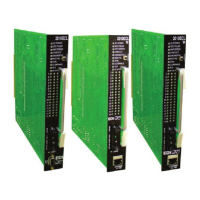
9.6 16-CHANNEL PROGRAM CARD DIAGRAM


 To Next Page