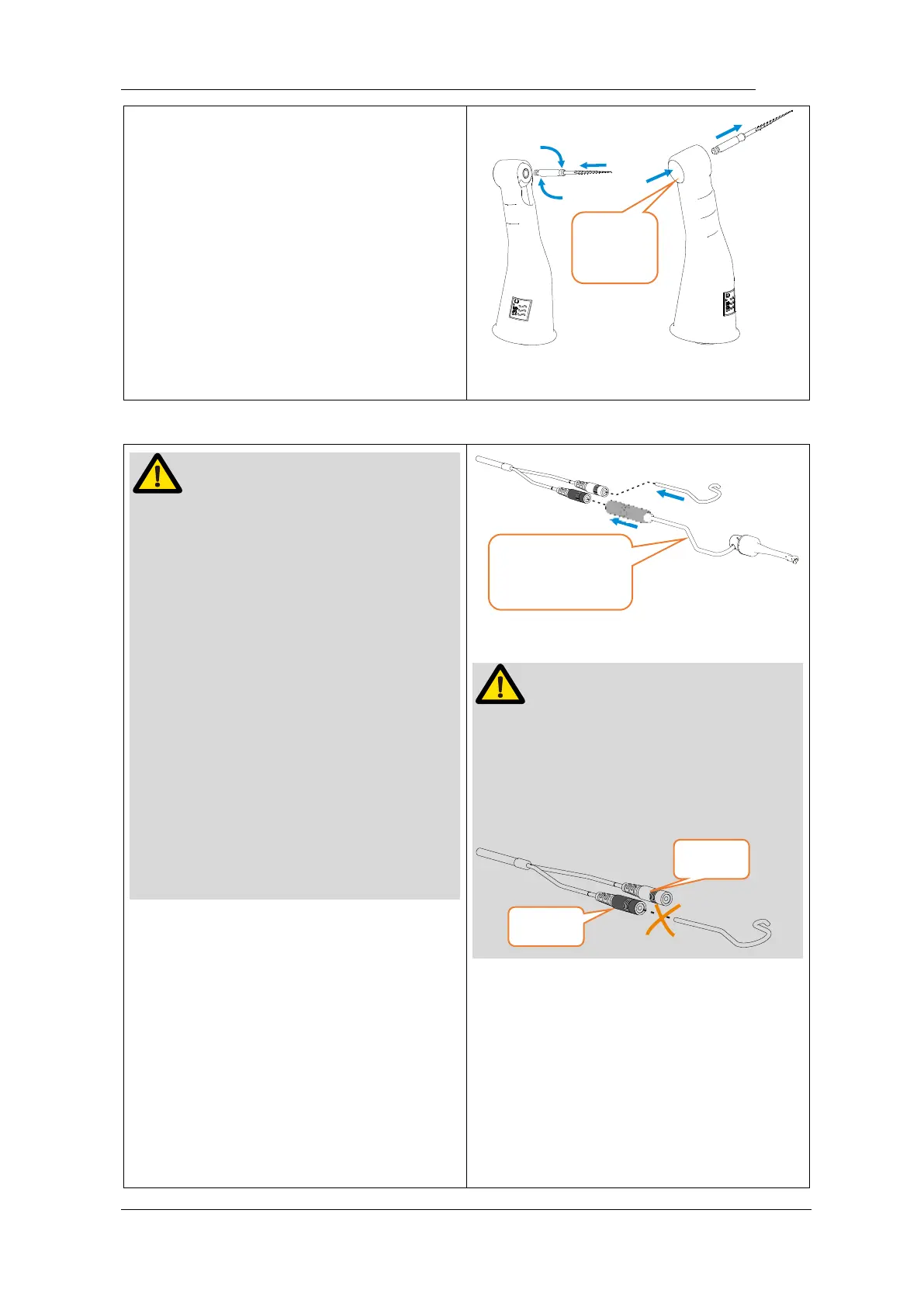
Inspect the file head before inserting the
file. Do not use the damaged file head.
Make sure the motor is stopped when
inserting and removing files.
Be careful when inserting and removing
files to avoid injury to fingers.
Take care not to touch the Main switch
when putting files in. this will cause the
file to rotate.
Pull the file gently to make sure that the
file is secure in handpiece properly,
otherwise it may pop out and hurt the
patient.
4.3 Connecting measuring
wire
If want activity apex measurement
function, uncap the USB cover on
handpiece, insert measuring wire.
Match colors to connect the lip hook and
file clip, if connect lip hook with black
slot, apex auto start will have no
function.
4.4 Connecting charge base
Plug the USB of adapter into the
charge base, and plug the other end
into a power outlet, the Power LED on
charge base will light up (green).















 To Next Page