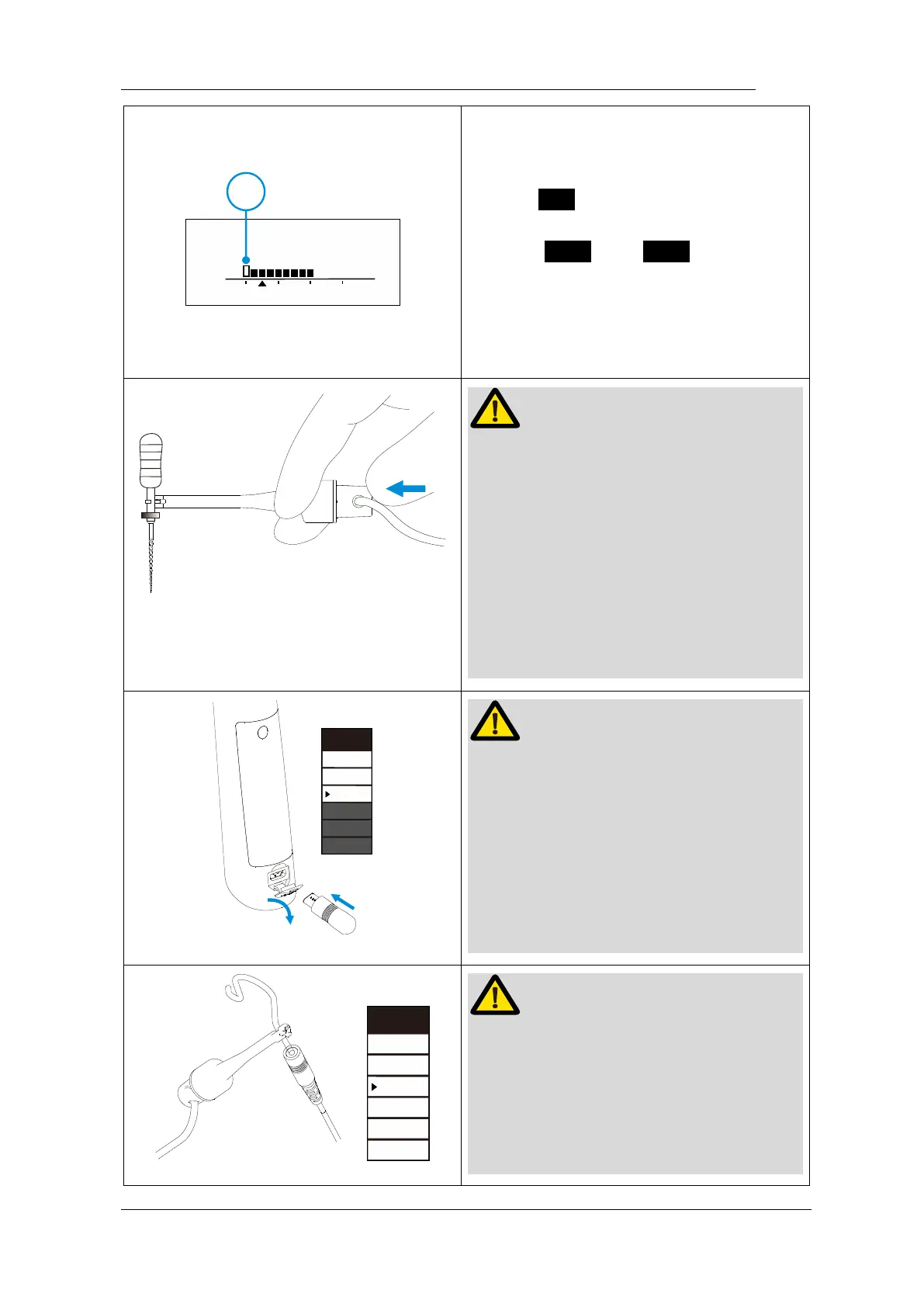
The reference point can be adjusting
when use stand-alone apex function.
Press S to active reference point
interface during M0 standby state,
Press < or > to change
reference point by change the flash bar
( ○,
1
), a continuous beeping with
appear when reach the reference point.
The file clip must hold the file correctly.
Push the button of file clip in the direction
shown by the arrow, clip the holder onto
the metal upper part of the file and then
release the button.
The file clip must be nearly vertical with
file handle, otherwise will damage the tip
of the file holder.
We recommend using Apex Tester to
check the accuracy of apex locator every
time before use.
Insert the Apex Tester into handpiece
USB socket during M0 mode, check the
highlight number must between 01-03
(0.3mm-0.8mm on the top)
We recommend check the connection of
apex locator every time before use.
Touch the lip hook with metal part of file
clip, check all the bars on the meter on
the screen light up, and “over” flash on















 To Next Page