OPERATION
14 NP-eVENT-16_10-2018
Kit for higher relative air humidity - Item 604011497-000
1. Hose PUR 6/4-130 062000337-000 1
2. Hose PUR 6/4-700 062000357-000 1
3. Tank LUH-1 062000333-000 1
4. Holder 3KB-972 023000564-000 1
5. Washer D5 043000002, 043000005-000 4
6. Screw M5 041000131-000 4
7. Reducer 10/6 062000339-000 1
8. Connector L6/6 025400153, 025400154-000 1
9. Clamp self-adhesive 033400011-000 2
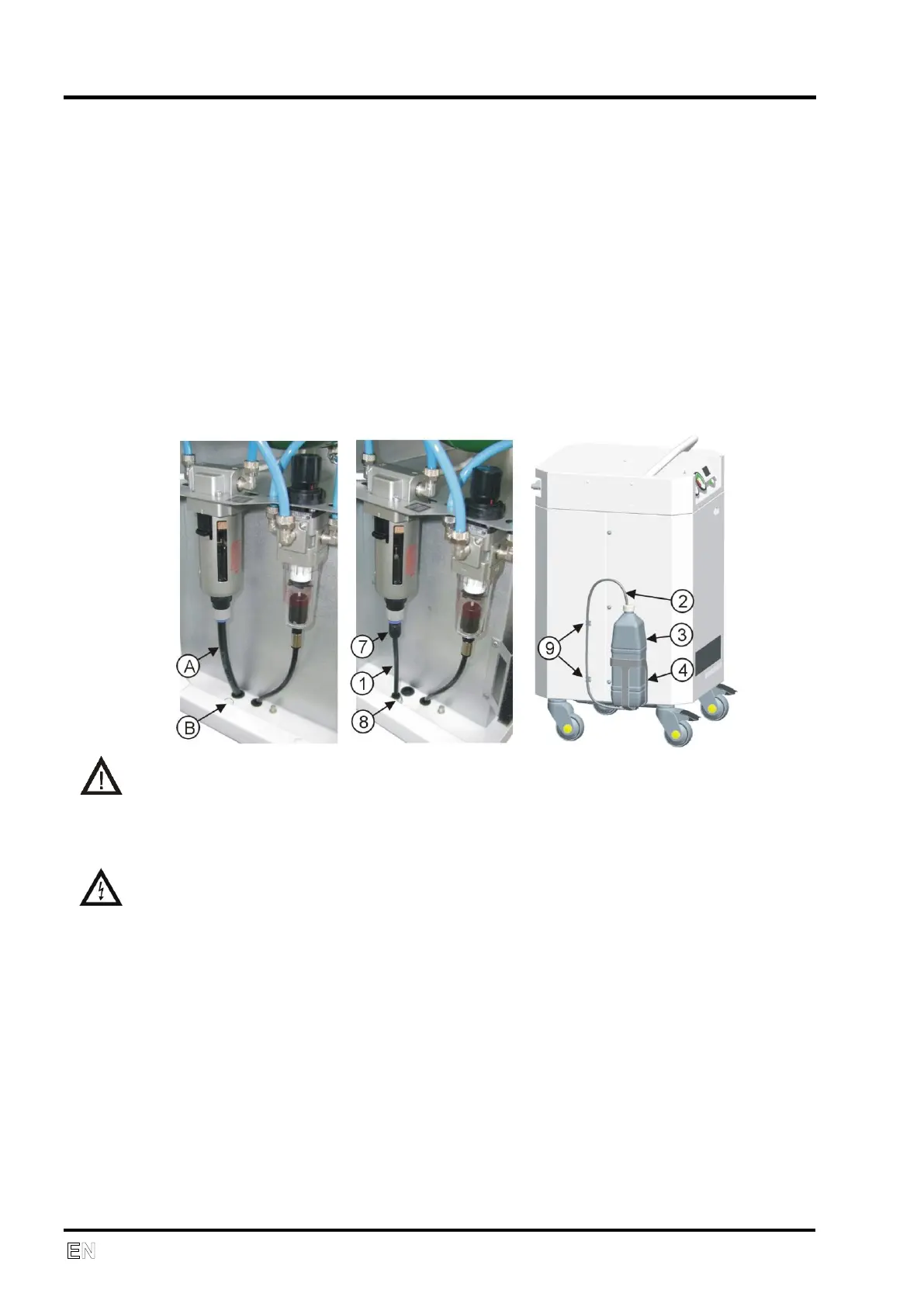
Dismount the hose (A) and plug (B). Install the reducer (7), connector (8) and
plug-in hose (1). Screw holder (4), plug-in hose (2) and install tank (3). Fix
hose with two clamps (9).
Empty tank regularly.
OPERATION
In case of emergency, switch the equipment off at the switch and pull
out the main power plug.
Automatic operation. When the pressure in air tank falls to the ‘switch on’
pressure, the compressor is automatically switched on. The compressor is
automatically switched off when the pressure increases to the ‘switch off’
pressure in the air tank.
Switching on the compressor
The compressor is switched on at the main power switch (6) by putting it in
position "I". Switching on is signaled by the green indicator (4).


 To Next Page