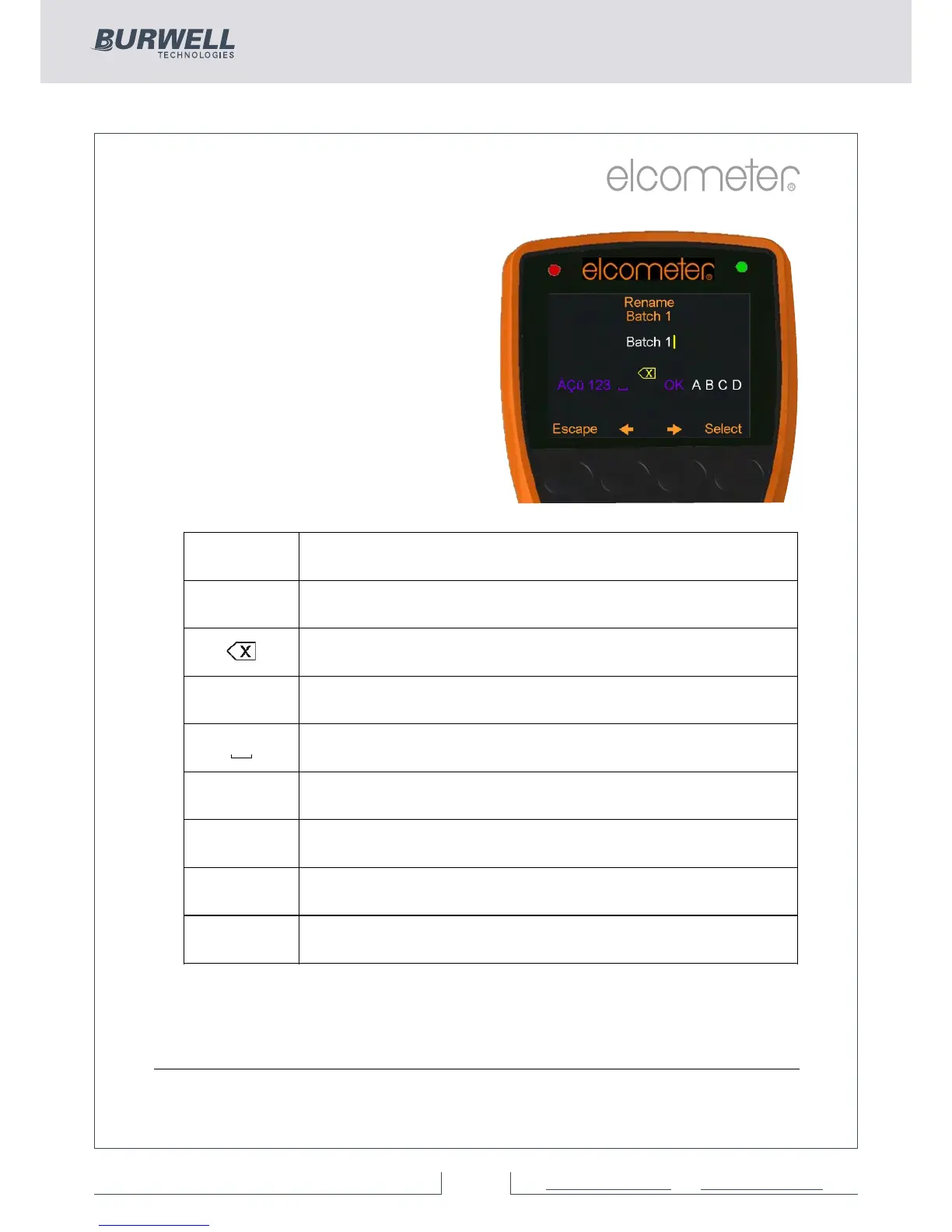
The current name of the batch (or
cal memory) is in white in the
middle of the display with a yellow
‘cursor’ icon to the right of the
name.
Using the left arrow, right arrow
and Select softkeys, the user can
rename the batch or cal memory
as required.
The yellow, raised character or
function is the item that will be
‘chosen’ by pressing the Select
soft key.
Pressing the Esc softkey at any time cancels the whole operation
without making any changes to the original name.
To store the re-named ‘name’ highlight OK and press the Select
softkey.
Character Action
OK
Stores the name and returns the user to the previous
screen
Deletes the last character of the name
A, B, C... Selects the character A, B or C, etc.
Inserts a space
123
Changes the selection characters to:
1 2 3 4 5 6 7 8 9 0
Changes the selection characters to:
A B C D E F G H J K L M N O P Q R S T U V W X Y Z
Changes the selection characters to:
ÀÁÂÃÄÅÆÇÈÉÊËÌÍÎÏÐÑÒÓÔÕÖÙÚÛÜÝÞßµm
Changes the selection characters to:
! # ’ £ $ € % & * [ ] _ - + / \ < > : @ ; ”
456 Dry Film Thickness Gauge
29 of 89For more information / 1300 287 935
mail@burwell.com.au / www.burwell.com.au



 To Next Page