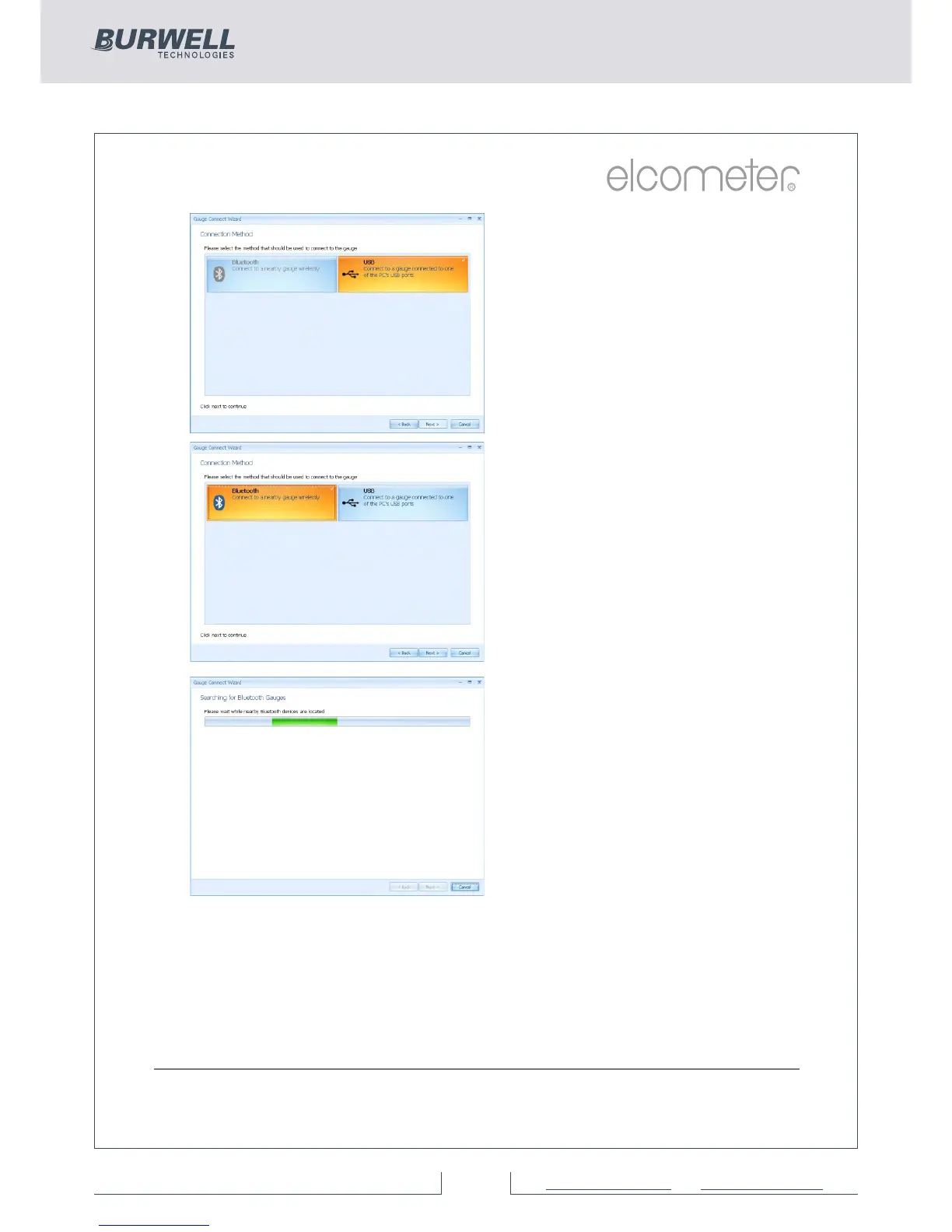
Ÿ Se l e ct t h e a pp r o p r i a t e
connection method for the
gauge
Elcometer 456 gauges come
supplied with Bluetooth (Models
S & T) and USB (Models B, S & T)
data output.
Users can purchase a USB
B l u e t o o t h A d a p t o r f r o m
El com eter (Par t num ber
T99924797) which will provide a
Bluetooth solution to computers
without internal bluetooth fitted.
If ElcoMaster™ is installed onto a
computer without Bluetooth
c a p a b i l i t y, h o w e v e r, t h e
Bluetooth tab is greyed out (as
displayed in top image).
Ÿ Se l e ct t h e a pp r o p r i a t e
connection method
Ÿ Switch on the Elcometer 456
Ÿ Connect the USB cable or
make sure that Bluetooth is
switched on in the gauge via
Menu/Bluetooth/Enable
Bluetooth (S & T)
Ÿ Bluetooth users should return
their gauge to the main
r e a d i n g s c r e e n b e f o r e
continuing
Ÿ Press ‘Next >’
Ÿ Af t e r a s c r e e n p r o m p t
ElcoMaster™ will search for
and list all Elcometer 456
gauges.



 To Next Page