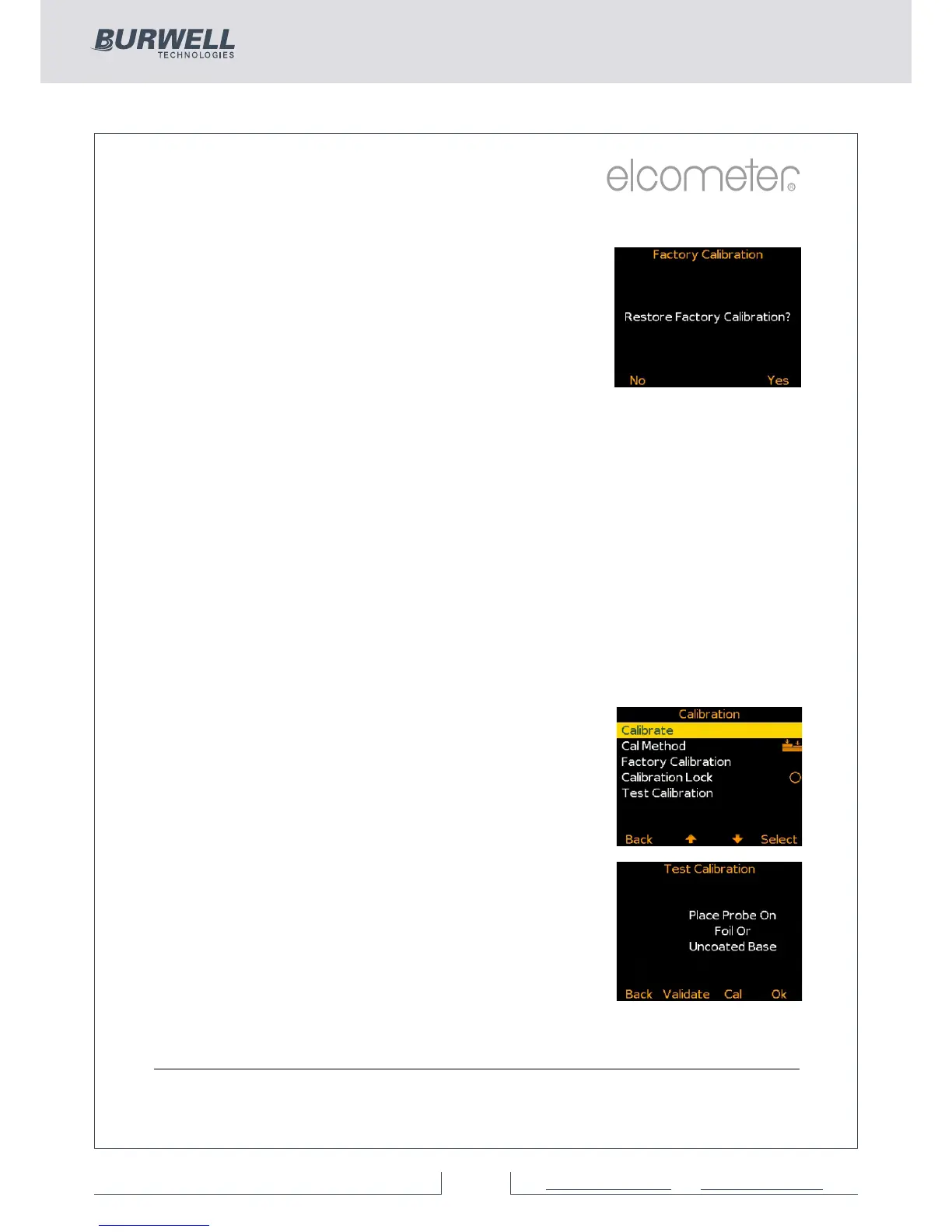
Ÿ to select the factory calibration press
Cal/Factory Calibration
Ÿ The factory calibration returns the gauge to
the calibration set up during manufacture
and final test. The factory calibration is a
smooth surface calibration using factory
reference probes
Ÿ When the correct calibration method has been
selected, press Cal/Calibrate and follow the on
screen instructions.
Ÿ Taking multiple readings on each foil will
increase the accuracy of the calibration.
Note: Auto, ISO, SSPC PA2, Swedish and
Australian cal methods - where available -
can only be selected whilst in batching as
memory is required.
Testing (BST) & Validating (ST) Calibrations
Ÿ The calibration of any Elcometer 456 B, S
or T gauge can be checked at any time,
without affecting any statistics or batch
memory.
Ÿ By selecting Cal/Test Calibration the user
can check the calibration of the gauge by
comparing the reading value displayed
versus the measured foil or coated
standard value. (ST)
Ÿ Pressing the Validate Softkey will update
the date and time of the last calibration.
(ST)
Each batch can have its own unique calibration,
simply calibrate each batch independently.
For more information on Batching see page 23.



 To Next Page