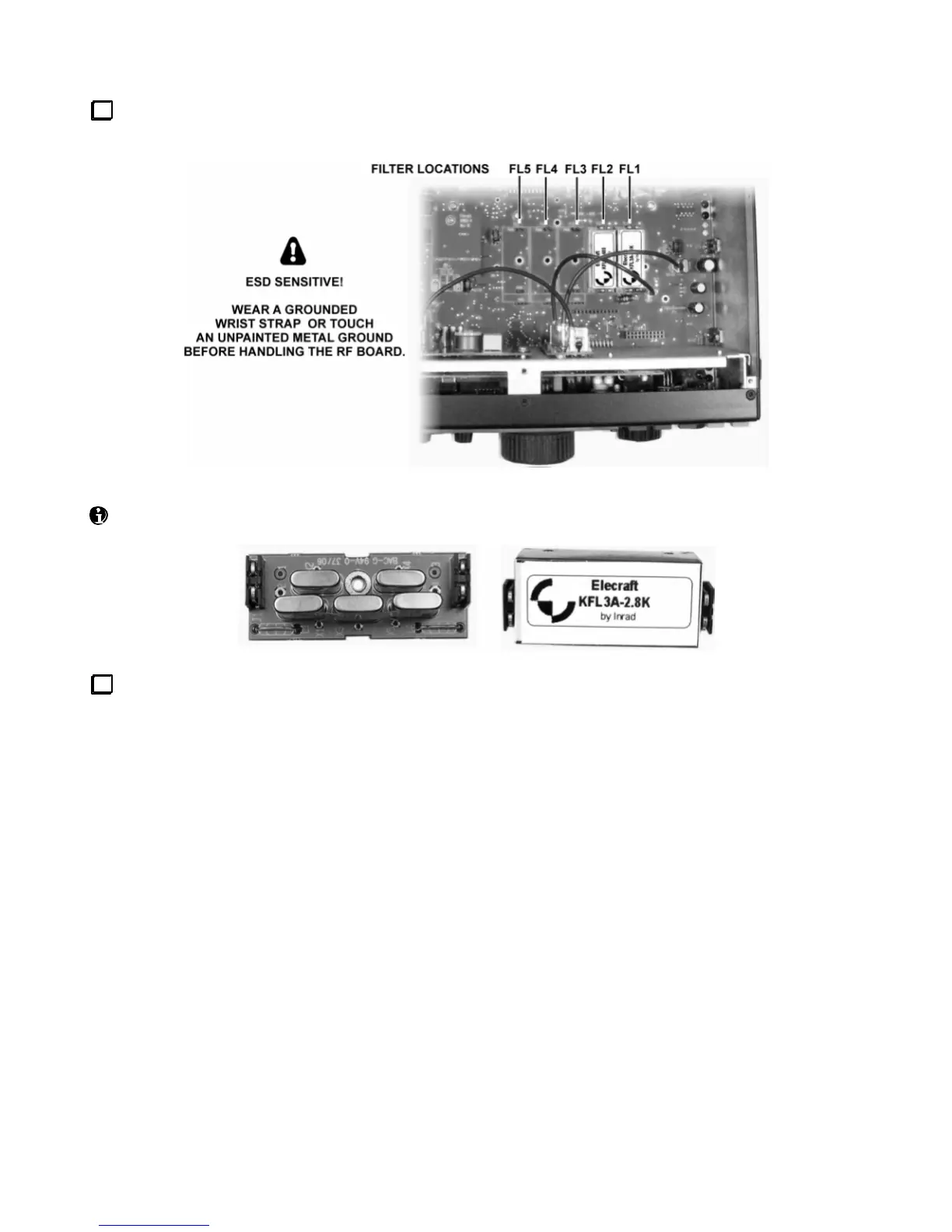
Locatethe crystal filters you presently have installed in slots FL1 - FL5 on the RF board (or sub receiver).
There may be a mix of 5-pole filters (below left) and 8-pole filters (right).
Review the information below to ensure that your crystal filter setup conforms to K3 requirements.
You can install up to five crystal filters (FL1-FL5) on the RF board, and five on the sub receiver (KRX3). FM
operation requires a 13 kHz wide filter. AMtransmit requires a 6 kHz filter, and SSB/DATA/CW transmit
requires a 2.7 or 2.8 kHz filter; other bandwidths can be used for receive inthese modes. Filters asnarrow as
200 Hz can be used for CW and narrow-band data receive. A mix of 5-pole and8-pole filters can be used.
There are two rules regarding where these filters can be installed in the K3 and how they’re used:
Rule #1: If you plan to use a particular filter for both transmitting and receiving (main receiver), you’ll need to
install it onthe RF board. You can optionally install a filter of the same or similar bandwidth on the sub
receiver for receive-only use. (This isrecommended since it will keepthe receivers identical.)
Rule #2: You can install any filter in any slot, and can leave any slot empty in anticipation of installing a crystal
filter there later. However, you should install the widestfilter closest to FL1, the next widestto its left, etc. Here
are two examples that could each applyto either receiver, assuming you followthe rules above:
FL1 6 kHz (AM) FL1 {saved for FM filter}
FL2 2.7 kHz (SSB/CW/DATA) FL2 6 kHz (AM)
FL3 1.8 kHz (SSB/CW/DATA) FL3 2.8 kHz (SSB/CW/DATA)
FL4 500 Hz (CW/DATA) FL4 {saved for variable-bandwidth filter}
FL5 200 Hz (CW/DATA) FL5 400 Hz (CW/DATA)




 To Next Page