Fill in the table below (include sub receiver info, if applicable). Use pencil, since you may change the
configuration later. BANDWIDTH can be obtained fromthe model number of each filter. 5-pole filters have a
FREQ OFFSET marked on the side of one of the crystals, e.g. “-0.85”. The offset for all 8-pole filters is 0.00.
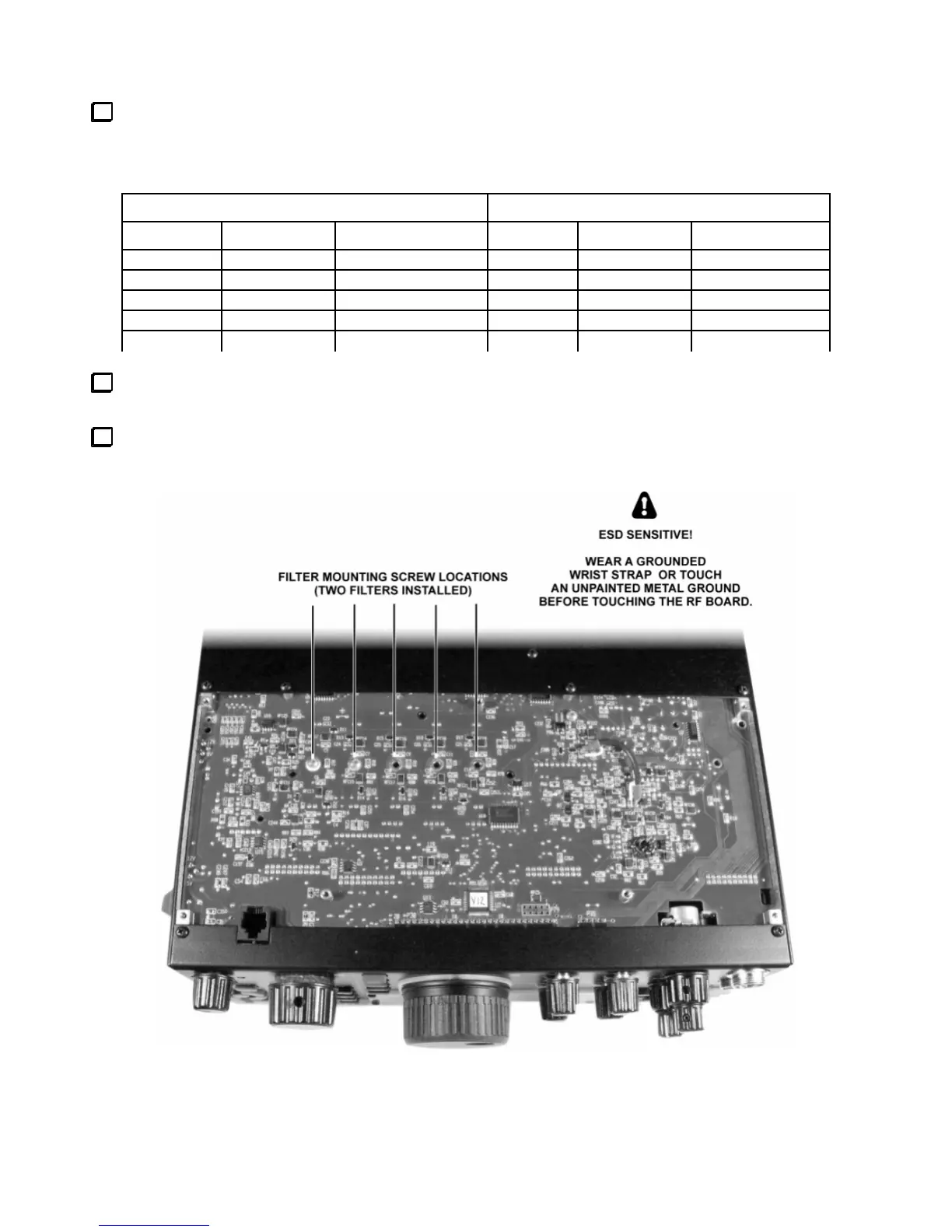
If you’ll be changing RF board filters: Turnthe K3 upside down, placing a soft cloth beneath it.
Removethe seven black pan head screws retaining the front bottom cover, then lift the cover off.
Remove the screws holding any existing filters that you’ll need to move to obtain the order listed above (on
boththe RF board and sub receiver).
RF BOARD (MAIN RX & TX) SUB RECEIVER (RX ONLY)
POSITION
BANDWIDTH FREQ OFFSET POSITION BANDWIDTH FREQ OFFSET
FL1 FL1
FL2 FL2
FL3 FL3
FL4 FL4
FL5 FL5





 To Next Page