41Installation Manual
Installing System / Battery
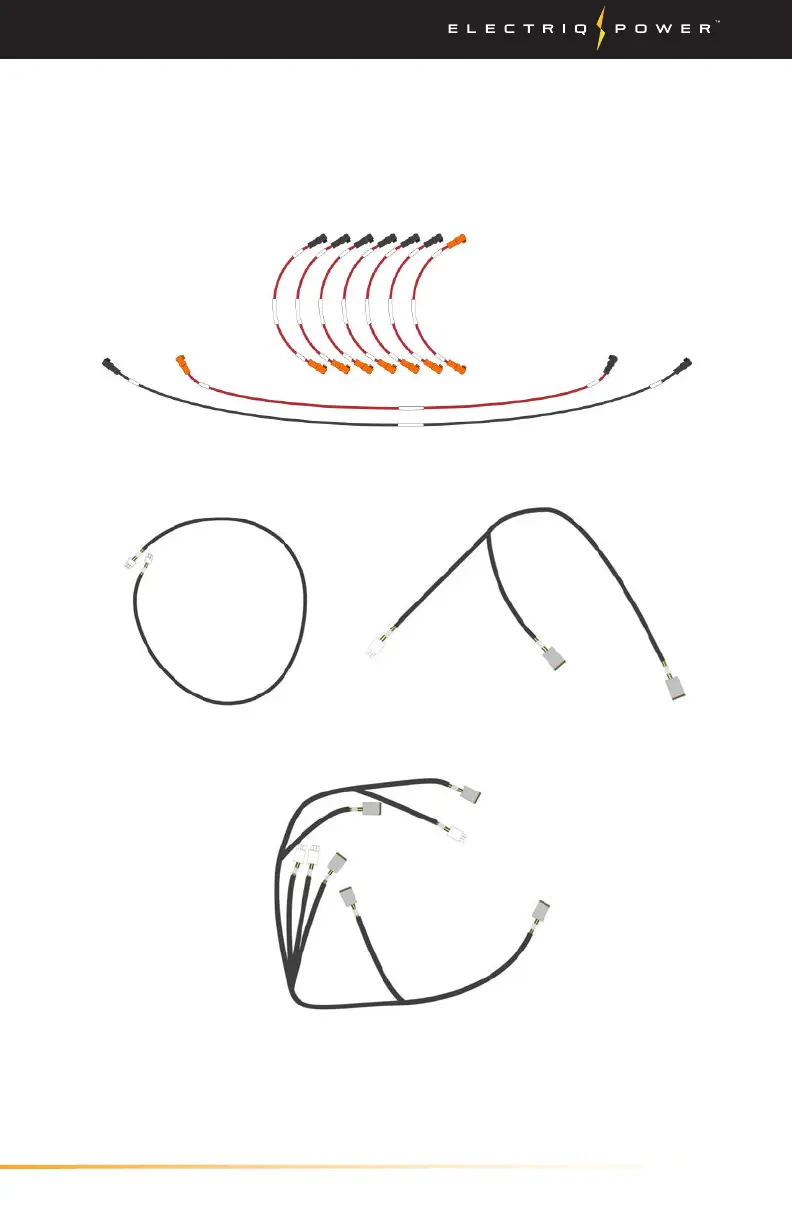
8. Locate your wiring harness kit and begin wiring your batteries.
(Above) Battery Connection Cables
to interconnect the batteries and BMS (20 kWh kit shown)
(Above) PowerPod 2 Communications Cables to interconnect the
batteries, BMS, and PowerHub. (1) PowerHub, (2) 5kWh add-on, (3) 10
kWh standard communications cable
(1)
(2)
(3)
Note* The cables shown on this page are all of the wires included for
a 20 kWh system. A 10 kWh system will only have a portion of these
cables.


 To Next Page