42 Installation Manual
Installing System / Battery
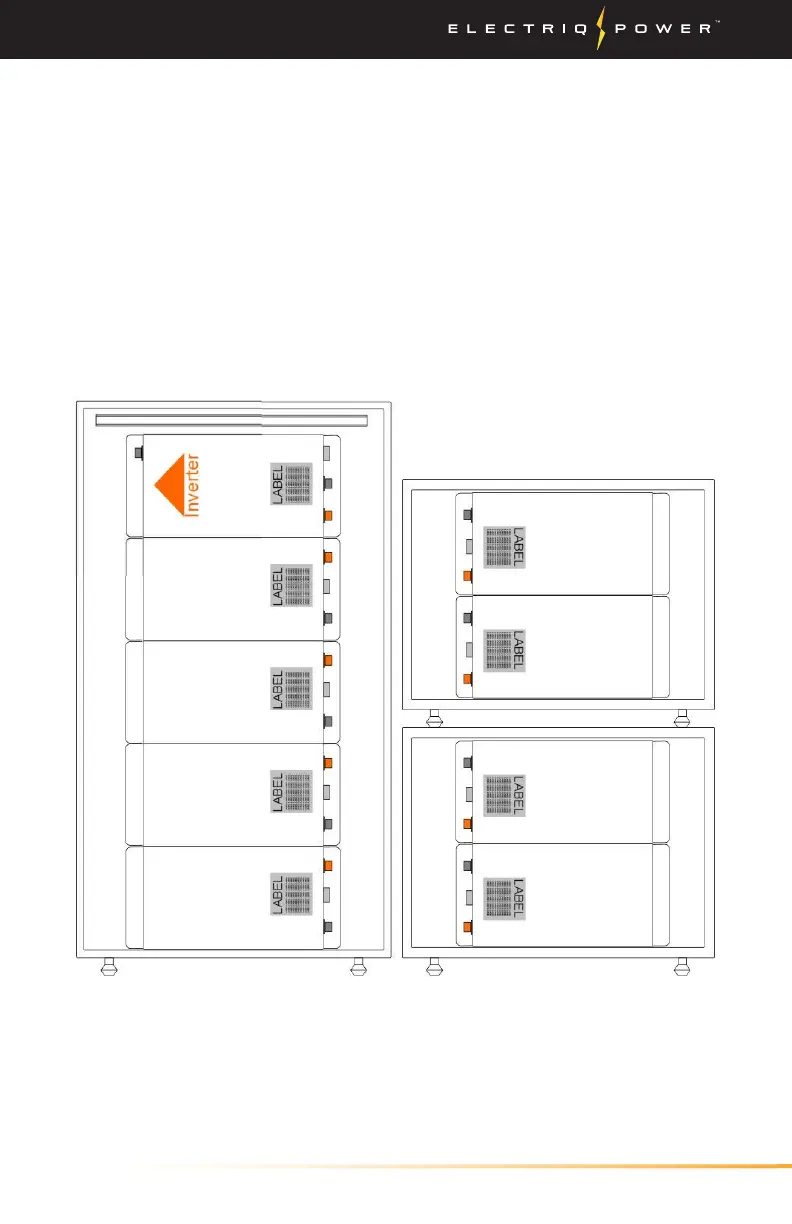
9. Begin by connecting the COMM IN cable into the COMM IN on the
BMS.
10. With the same communications cable, connect to the
communications port on the battery beneath the BMS (second
from top position).
11. Continue to connect the same communications cable until all of
the batteries have been connected. Note that the order in which
these are connected is important. Use the diagram below to wire
the system properly 10 kWh (BMS -> 4, 3, 2, 1); 15 kWh (BMS -> 6, 5,
4, 3, 2, 1) and 20 kWh (BMS -> 8, 7, 6, 5, 4, 3, 2, 1).
1
BMS
2
3
4
5
6
7
8


 To Next Page