23
SERVICE & DISASSEMBLY
LOWER ACCESS PANEL
1. Remove bottom kick plate.
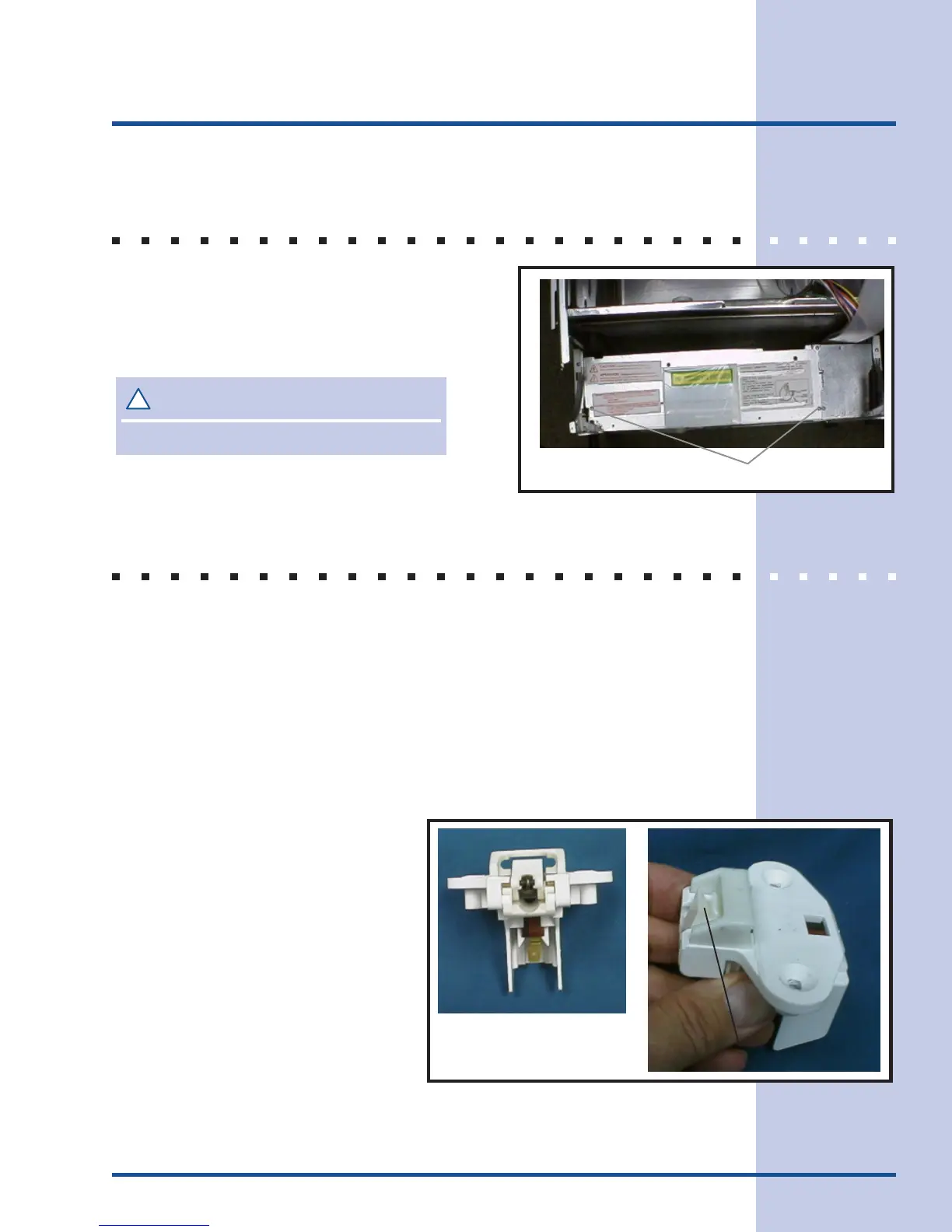
2. Remove screws on each side of lower
access panel. (See Figure 25)
3. Remove access panel.
DOOR LATCH / DOOR SWITCH
1. Remove outer door panel. (See previous section for detailed instructions.)
2. Remove two screws mounting the latch/switch assembly to inner door panel,
and then remove two wires.
3. Reinstall wires to door latch/switch assembly and remount assembly to inner
door panel.
4. Close door to make sure strike catches latch cam to close door switch.
5. If door strike needs to be adjusted, loosen retaining screw in top of tub. This
allows strike to be moved as needed. Tighten retaining screw after
adjustment is made.
!
CAUTION
Edges are sharp.
Remove these screws
Figure 25
Figure 27
Latch cam in open position
Figure 26



 To Next Page