28
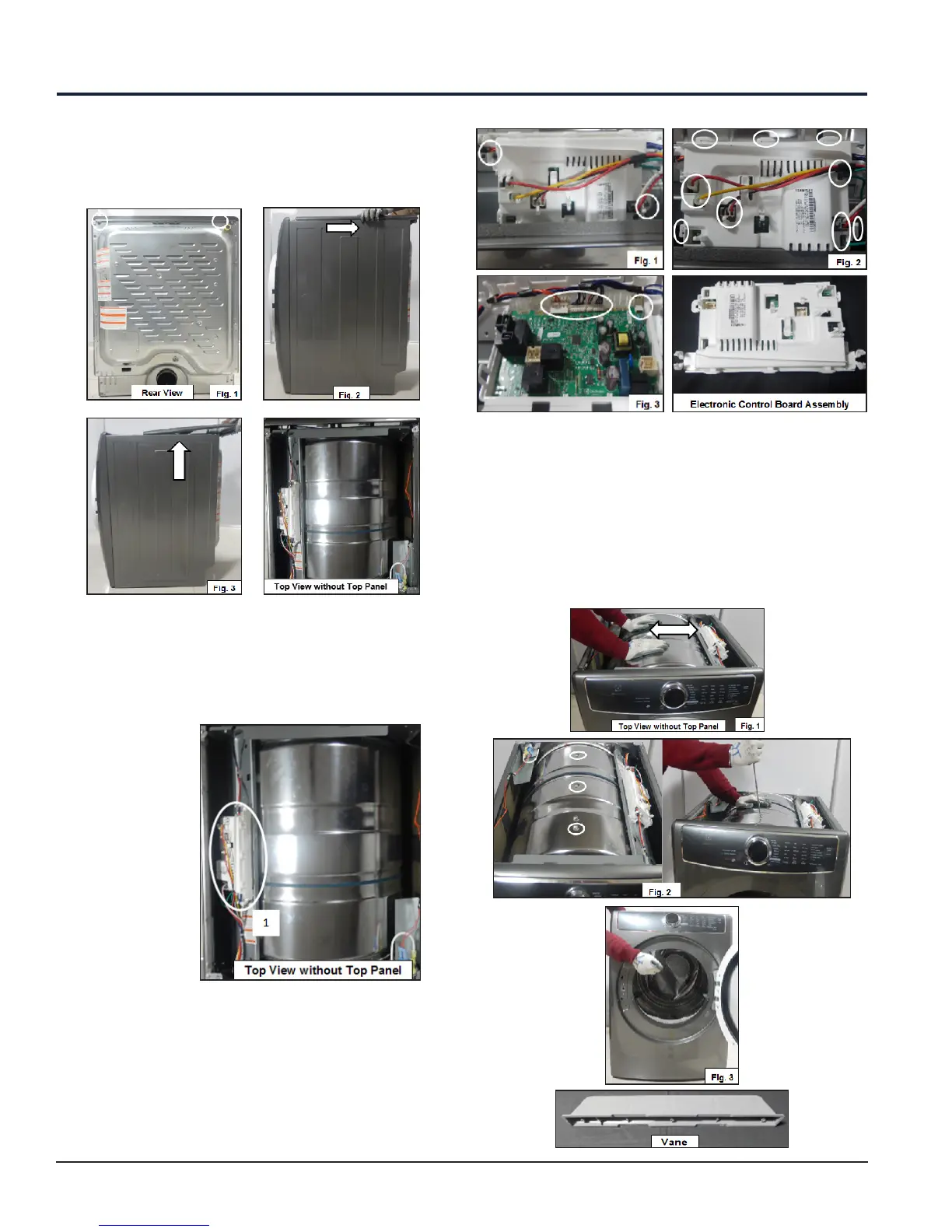
Remove the screws (See Fig. 1), slide the Top Panel
in the direction untill it locks in place as shown (See
Fig. 2) and lift the Top Panel in the upward direction
(See Fig. 3).
From the Top Panel, you can access the following
components:
1. Electronic Control Board
2. Vanes (inside of drum), Attachment Screws
(outside of drum)
10.1 Electronic Control Board
Accessibility
Remove the screws (See Fig. 1), unplug the
connectors, release the snap for opening the box
(See Fig. 2) and unplug the remaining connectors
(See Fig. 3).
10.2 Vanes Accessibility
Rotate the drum in any direction to get the mounting
location of Vanes (See Fig. 1), remove the screws (See
Fig. 2) and take out the Vane from inside of Drum
(See Fig. 3).
10. Top Panel Accessibility





 To Next Page