35
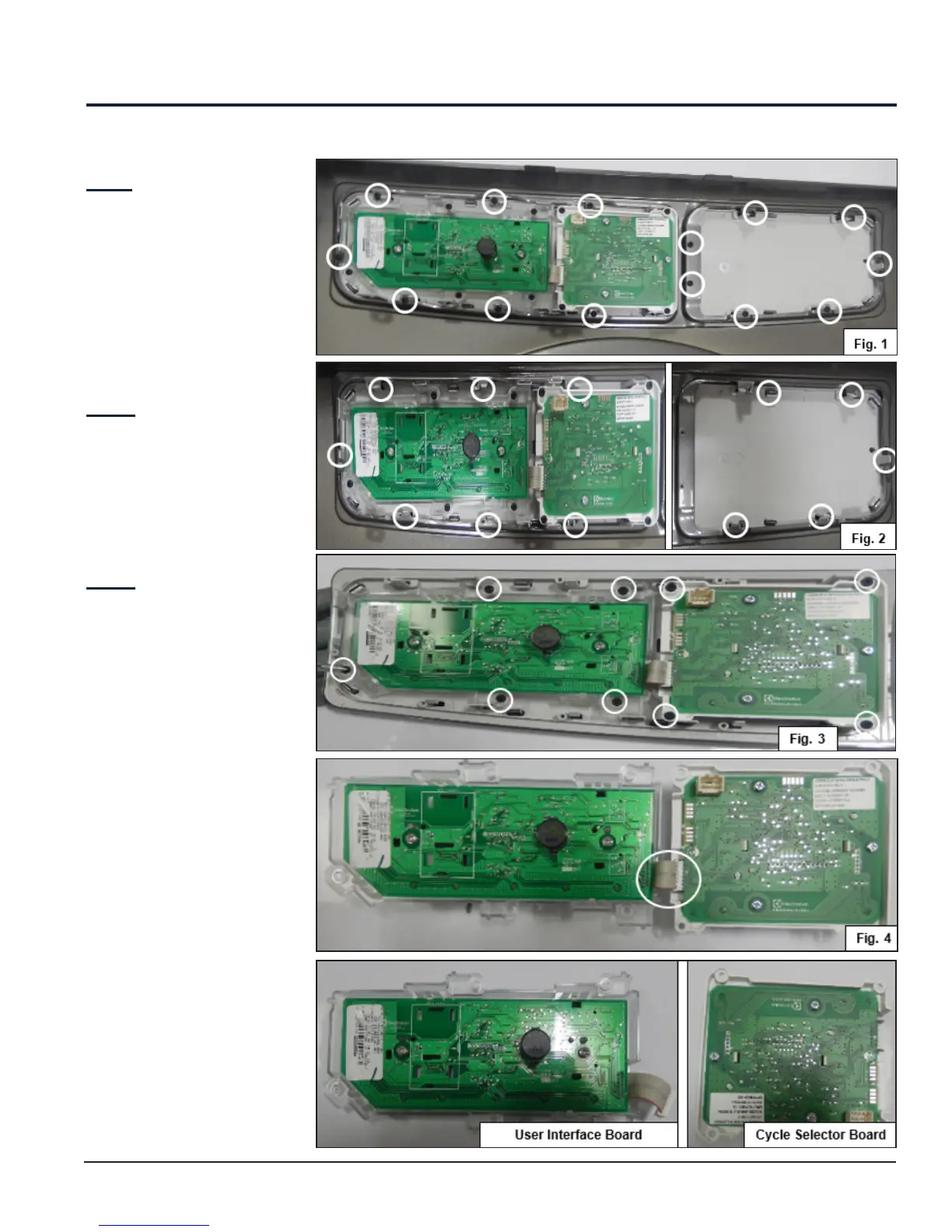
12.2 User Interface Board Assembly Accessibility
Step: 1
Remove the 14 screws which
are used to mount the Control
Panel with the Front Panel.
(See Fig. 1)
Step: 2
Release all the 12 snaps to
remove Control Panel from
Front Panel (See Fig. 2).
Step: 3
Remove the 8 screws which
are used to mount the User
Interface Board Assembly with
the Control Panel (See Fig. 3)
and unplug the connector of
the Cycle Selector Board (See
Fig. 4).
Front Panel Accessibility



 To Next Page