41
400, 500 and 600 series
Test No. Test Name
Components under
Test
Test Conditions Displayed Feedback
05
Moisture Sensor
circuit open and
short
Moisture Sensor
Moisture sensor expects to
read 'open circuit' condition
and 'short circuit' condition *
00-open and 11-short
circuit and nothing if
the sensor is between
00 and 11
06 Error History Error in Memory
Error are most recent first
in order of history (Pressing
TEMP + SET keys together
clears the history)
E precedes the 2
character alarm code,
alternating through
the last 3 alarms
NOTE
* The Moisture Sensor is to the lower left inside the
door beside the lint screen. The technician may
use metal to short sensor bars. The sensor is touch
safe, some materials like dry fingers or a 10 KΩ
resistor should have no displayed value.
16.3 Exit from Diagnostic Mode
• Hold the power key for 3 secs, when not in ’00 test
step Lights / Buttons, or unplug the unit.
16.4 Factory Default Reset
1. Press power key and look for console light up.
2. Wait for 10 secs, press simultaneously hold dry
level + options for 3 secs.
16.5 Demo Mode
The Demo works in two ways: interactive mode and
automatic loop.
1. The interactive mode enables the customer to use
interface without activating the Heater or Mist Valve.
The machine behavior appears similar to operation.
The start option turns the drum light ON and if the
door is closed the ETR is decreased each second. The
Mist Valve is not activated.
2. If no one interacts with the interface for 3 minutes,
or start button has not been pushed, the machine
goes into an automatic loop instead, simulating the
cycle execution only on display. This automatic loop
cycles until someone touches the user interface and it
goes back to interactive mode.
16.6 Enter Demo Mode
1. Switch ON the machine via Power button.
2. Turn the selector in the 7
th
position from the top
clockwise.
3. Simultaneously hold temp and set for 3 seconds.
4. The message “dn” blinks 3 times on cycle time
digits.
5. When no acknowledgement is received, switch
the machine OFF and repeat sequence from the
beginning.
NOTE
Every time the machine is switched ON, Demo
mode is automatically recalled; this occurrence is
signaled at the start-up by the text “dn” blinking 3
times on cycle time digits. Unplugging the unit will
not clear Demo mode.
16.7 Clear Demo Mode
1. Redo the Enter Demo Mode sequence of actions
described above or go to the next step.
2. Press the Reset To Factory Default combination
(dry level + options keys anytime).
3. If the action is acknowledged, the machine
reboots in Normal mode.
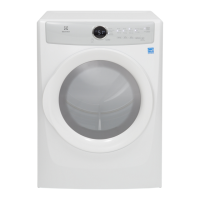
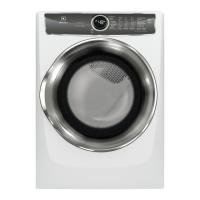
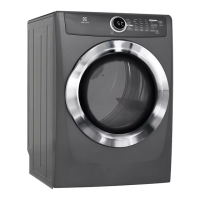
Diagnostic System (For Models 617, 517 and 417 Series)



 To Next Page