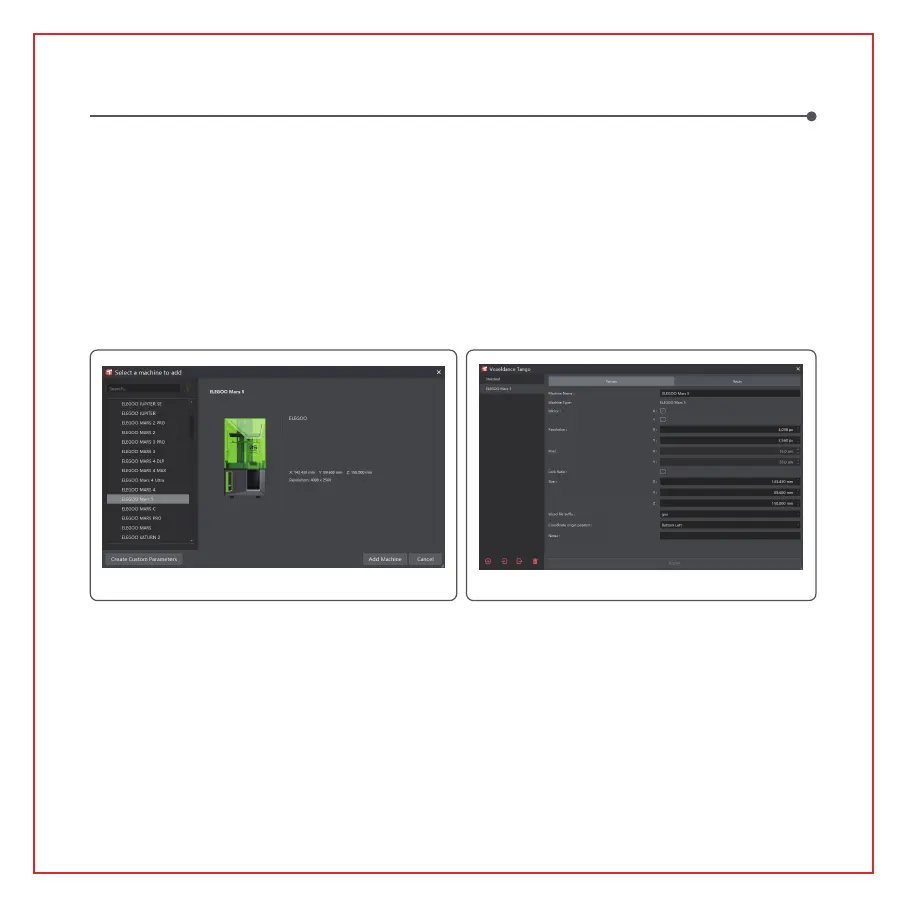
(Picture5)
Other Operations:
1) Long press the left button and drag the model to the position you want.
2) Scroll the mouse wheel to zoom in or zoom out the model.
3) Long press the right mouse button to view the different perspectives of the model.
3. Voxeldance Tango Setting
3.1 Click "Platform Definitions" and select ELEGOO Mars 5 as the default printer (See Picture 5)
3.2 Build Volume
You don't need to change the default parameters (See Picture 6), and X indicates the maximum print size in
the X-axis direction, and so on.
Software Installation and Setup
(Picture6)
12


 To Next Page