-59-
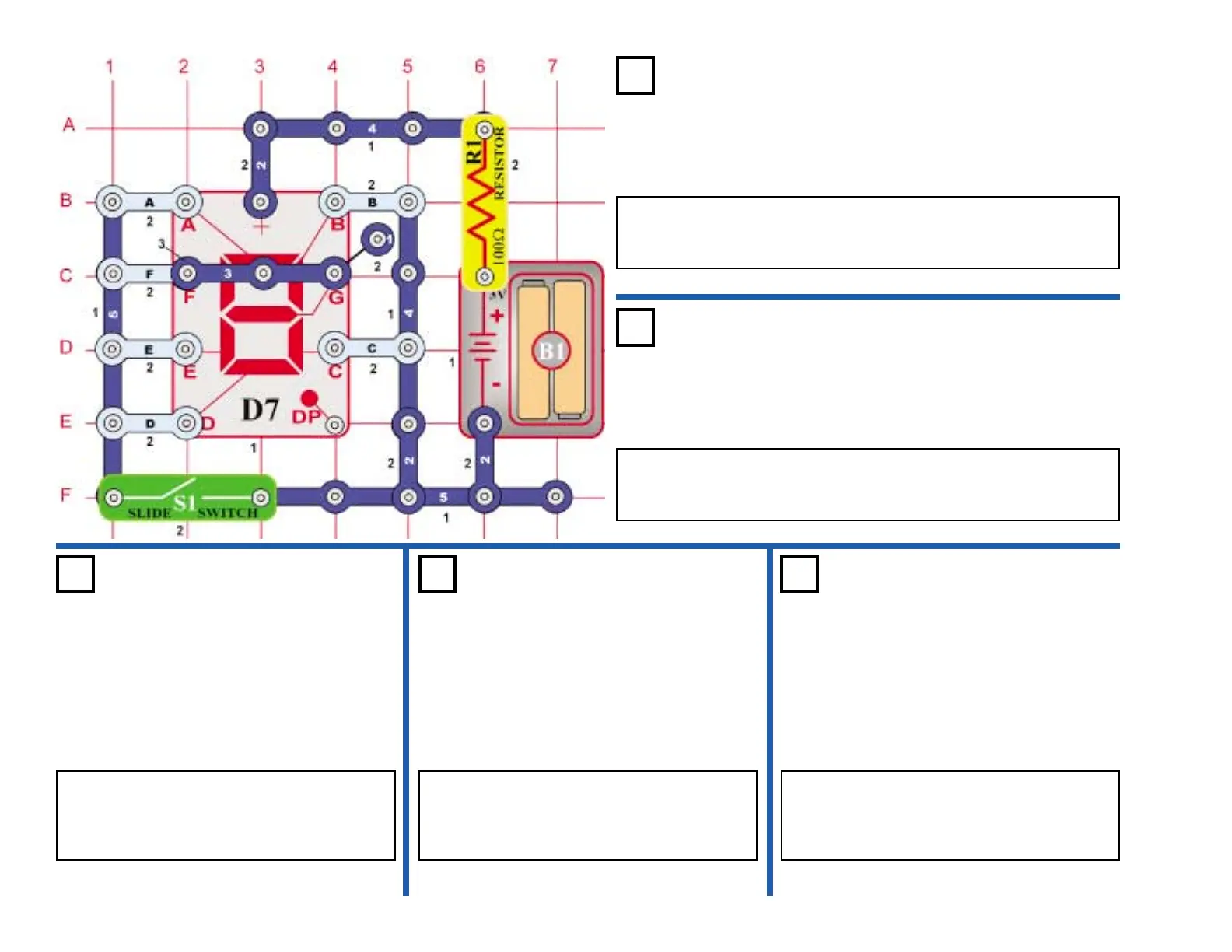
Project #501
OBJECTIVE: Display numbers 1 or 4 using the slide switch.
Using the diagram shown, connect 2-snap wires to segments B, C, F,
& G. Turn the switch (S1) off and on, the display changes from
numbers 1 to 4.
Hand-Control Display 1 & 4
Project #502
OBJECTIVE: Display numbers 1 or 0 using the slide switch.
Using the diagram shown, connect 2-snap wires to segments A, B, C,
D, E, & F. Turn the switch (S1) off and on, the display changes from
numbers 1 to 0.
Hand-Control Display 1 & 0
Project #503
OBJECTIVE: Display numbers 1 or 7
using the slide switch.
Using the diagram shown, connect 2-snap
wires to segments A, B, & C. Turn the switch
(S1) off and on, the display changes from
numbers 1 to 7.
Hand-Control
Display 1 & 7
Project #504
OBJECTIVE: Display numbers 1 or 8
using the slide switch.
Using the diagram shown, connect 2-snap
wires to segments A, B, C, D, E, F, & G. Turn
the switch (S1) off and on, the display
changes from numbers 1 to 8.
Hand-Control
Display 1 & 8
Project #505
OBJECTIVE: Display numbers 1 or 9
using the slide switch.
Using the diagram shown, connect 2-snap
wires to segments A, B, C, F, & G. Turn the
switch (S1) off and on, the display changes
from numbers 1 to 9.
Hand-Control
Display 1 & 9











 To Next Page