UFM Series 6
Q.Sonic-plus
Operation and Maintenance
7.2 Front Panel and Touch Display
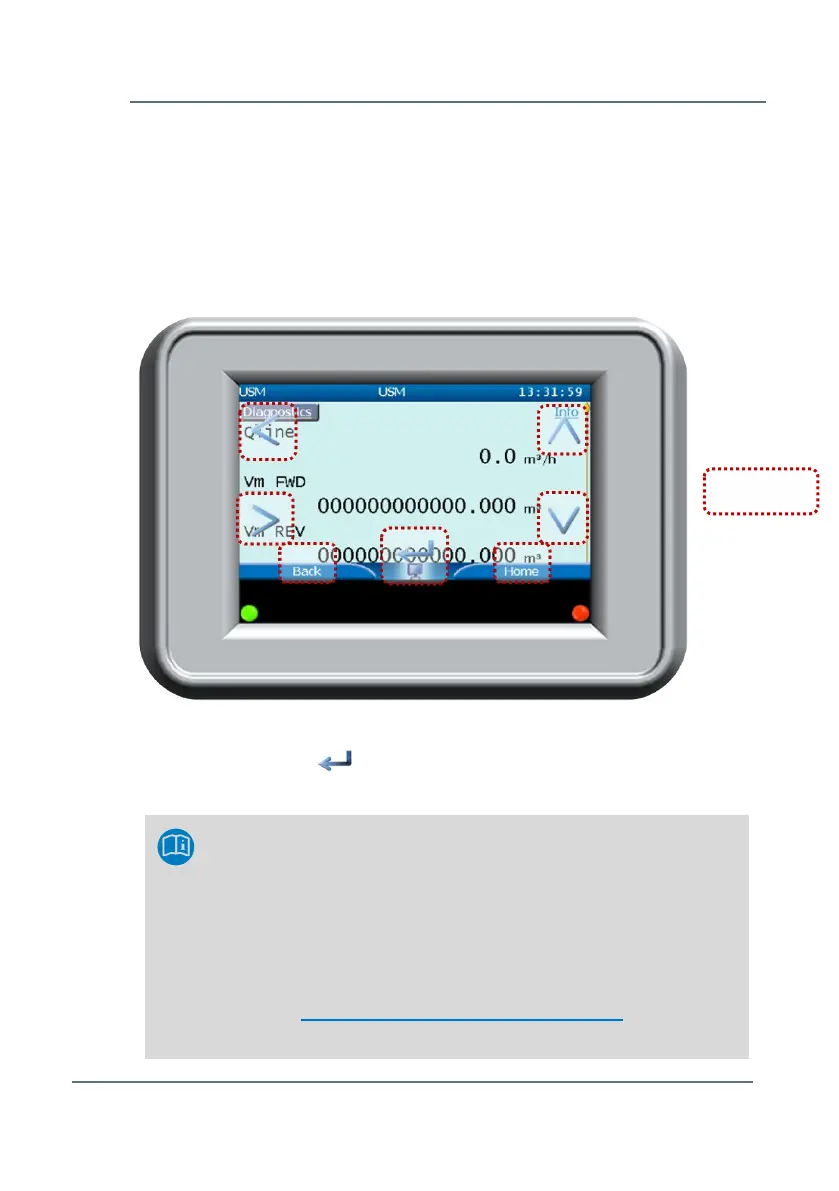
The SPU contains an interactive touch screen display, showing the most
important measurements and diagnostics (line flow, gas velocity, speed of
sound, totalizers …). It contains a touch screen with 7 touch areas (see
Figure 7-2) These touch areas will disappear when not in use and reappear
with a touch of the screen in one of the 7 touch areas.
Press the bent arrow in the middle of the screen to select and open a
highlighted menu.
View Front Panel on your PC
It’s also possible to mimic the interactive touch screen display
on your PC. To do this, connect the Ethernet cable at the field
terminal board ( for help, refer to document: UFM Series 6
Wiring Instructions, listed in Appendix I – References.
Next, go to the internet browser of the PC and type the following
address: http://xxx.xxx.xxx.xxx/frontpanel.html (where
xxx.xxx.xxx.xxx represents the IP-address of the meter).
Figure 7-2: Front Panel Basic Display with 7 touch areas



 To Next Page