Operation and Maintenance
UFM Series 6
Q.Sonic-plus
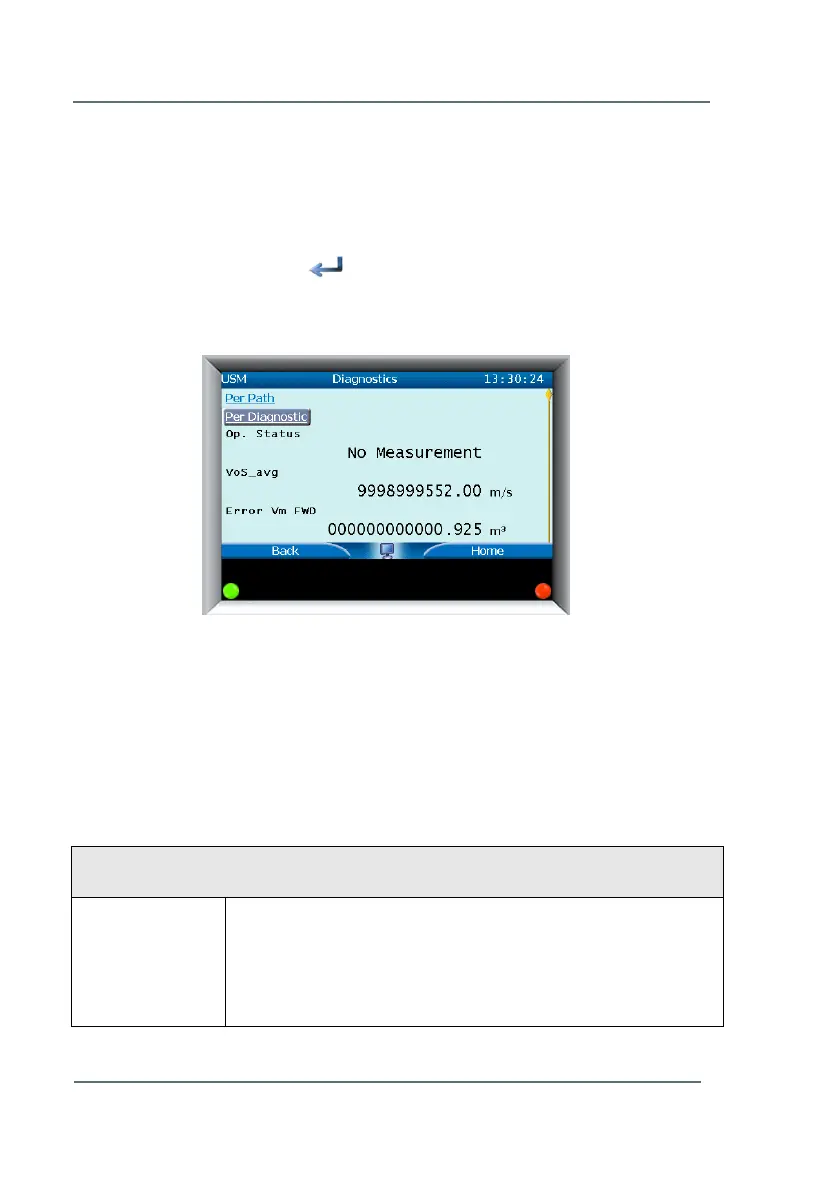
7.5 Diagnostics
► From the Basic Display screen, scroll to the top of the page and
highlight the Diagnostics field in the top left hand corner. (See Figure
7-3)
► Press the select arrow to open the diagnostics screen.
From this window it is possible to perform some easy firsthand
diagnostics of the ultrasonic flow meter and its individual paths.
The main diagnostics display shows general meter diagnostics, all of which
is detailed in Table 4 (continue scrolling down). You may view diagnostics in
two ways: Per Path (Path 1, Path 2, etc.) or Per Diagnostic (VoG Raw, VoS
Raw, Profile Diagnostics, Performance, and Correction Factors). This will be
discussed further.
On the Diagnostics screen the following general items are shown:
Op. Status
(Operational
Status)
OK: Everything is working properly
Reduced Acc.: There are some paths which are failing,
nevertheless the measurement is still suitable for custody
transfer. Contact Elster or your local representative.
Figure 7-11: General Diagnostics Screen



 To Next Page