Chapter 3 45
Removing the Lower Covers
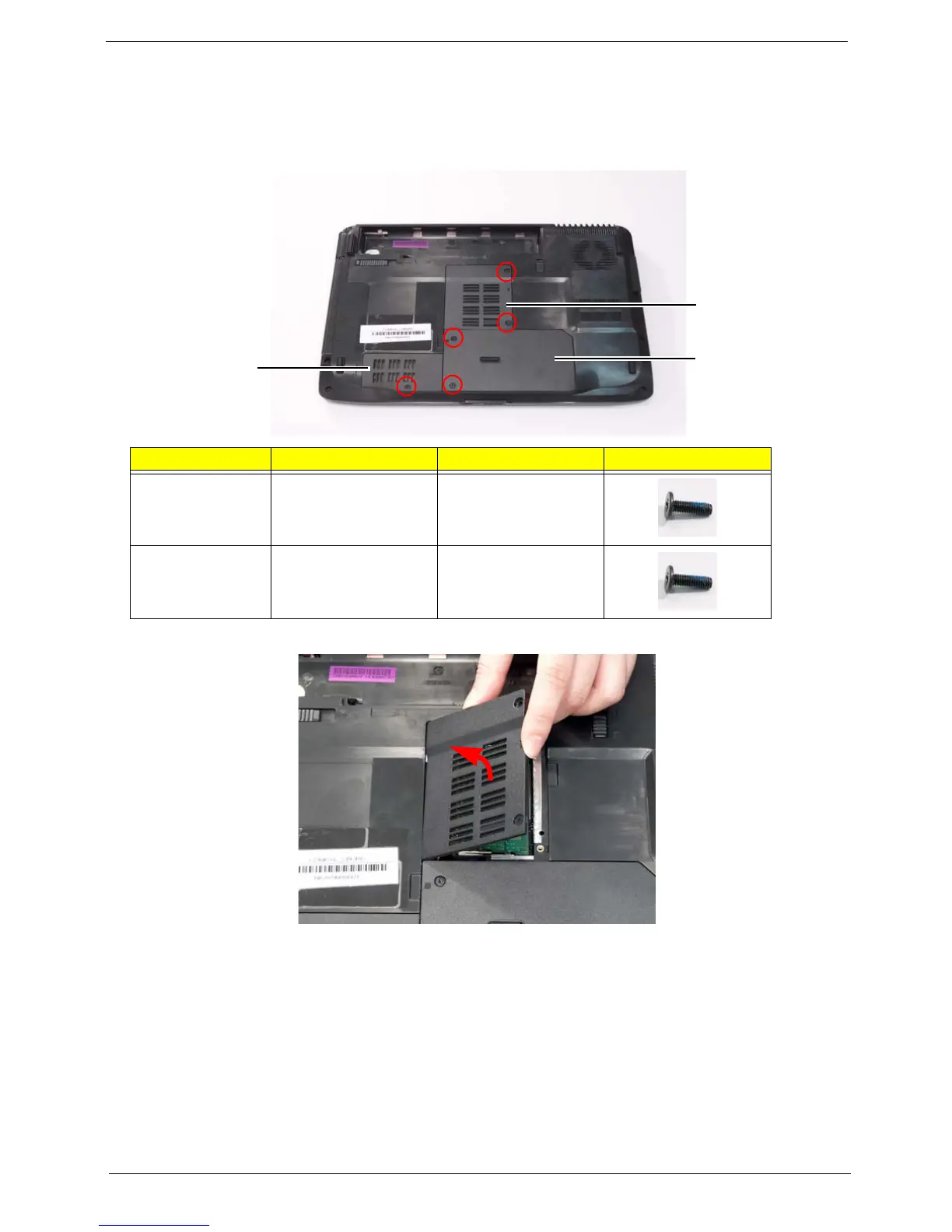
1. See “Removing the Battery Pack” on page 44.
2. Remove the three screws from the memory and WLAN bays and loosen the two captive screws on the HDD
cover.
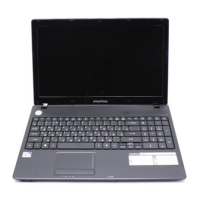
3. Carefully open the memory cover.
4. Remove the HDD cover as shown.
Step Size Quantity Screw Type
Memory Cover M2.5*8 2
WLAN Cover M2.5*8 1
HDD
Cover
Memory
Cover
WLAN
Cover



 To Next Page