Chapter 3 79
Removing the Camera Module
1. See “Removing the LCD Bezel” on page 77.
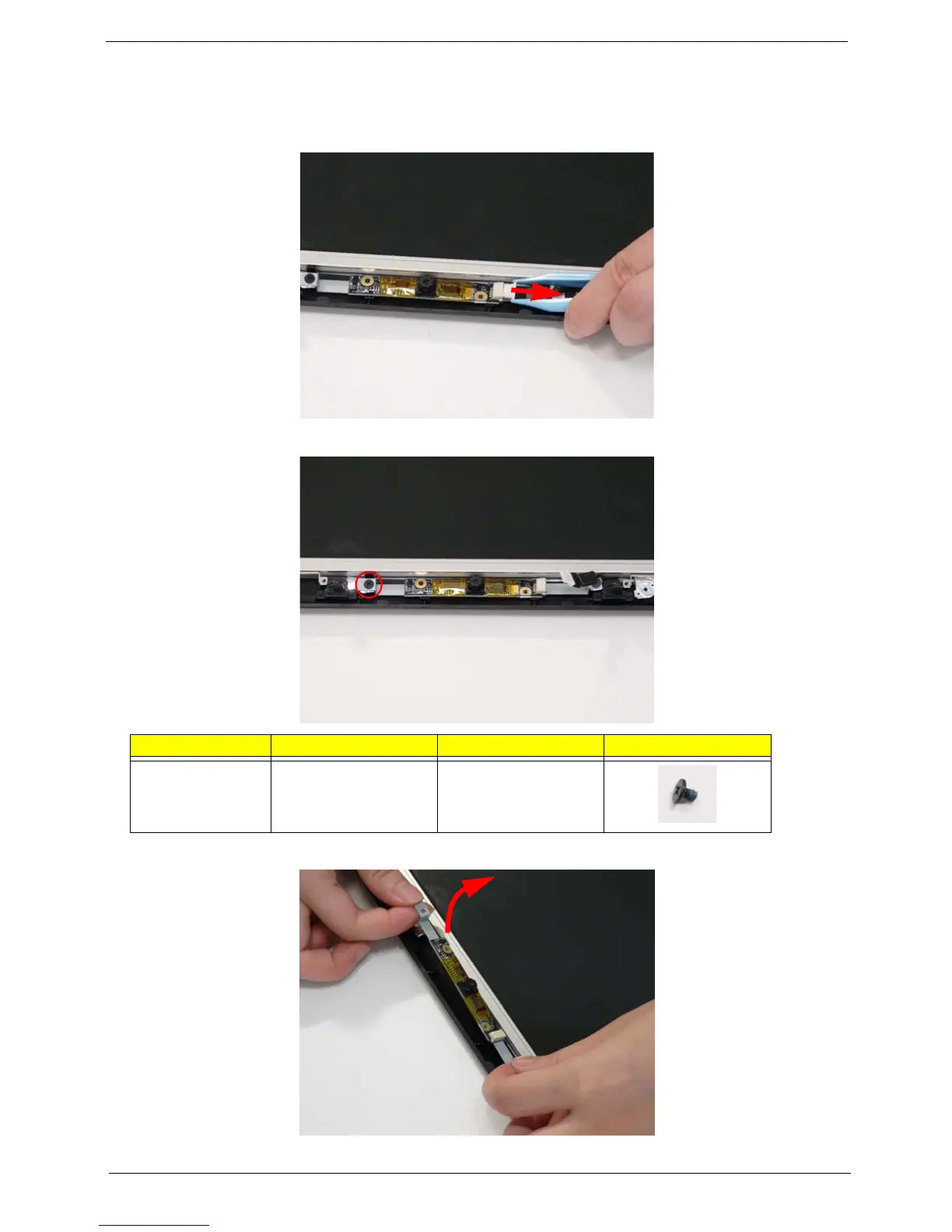
2. Disconnect the Camera Module cable as shown.
3. Remove the single securing screw from the Camera Module.
4. Lift the Camera Module, left side first, clear of the LCD Module.
Step Size Quantity Screw Type
Camera Module M2*L3 1














 To Next Page