74 Chapter 3
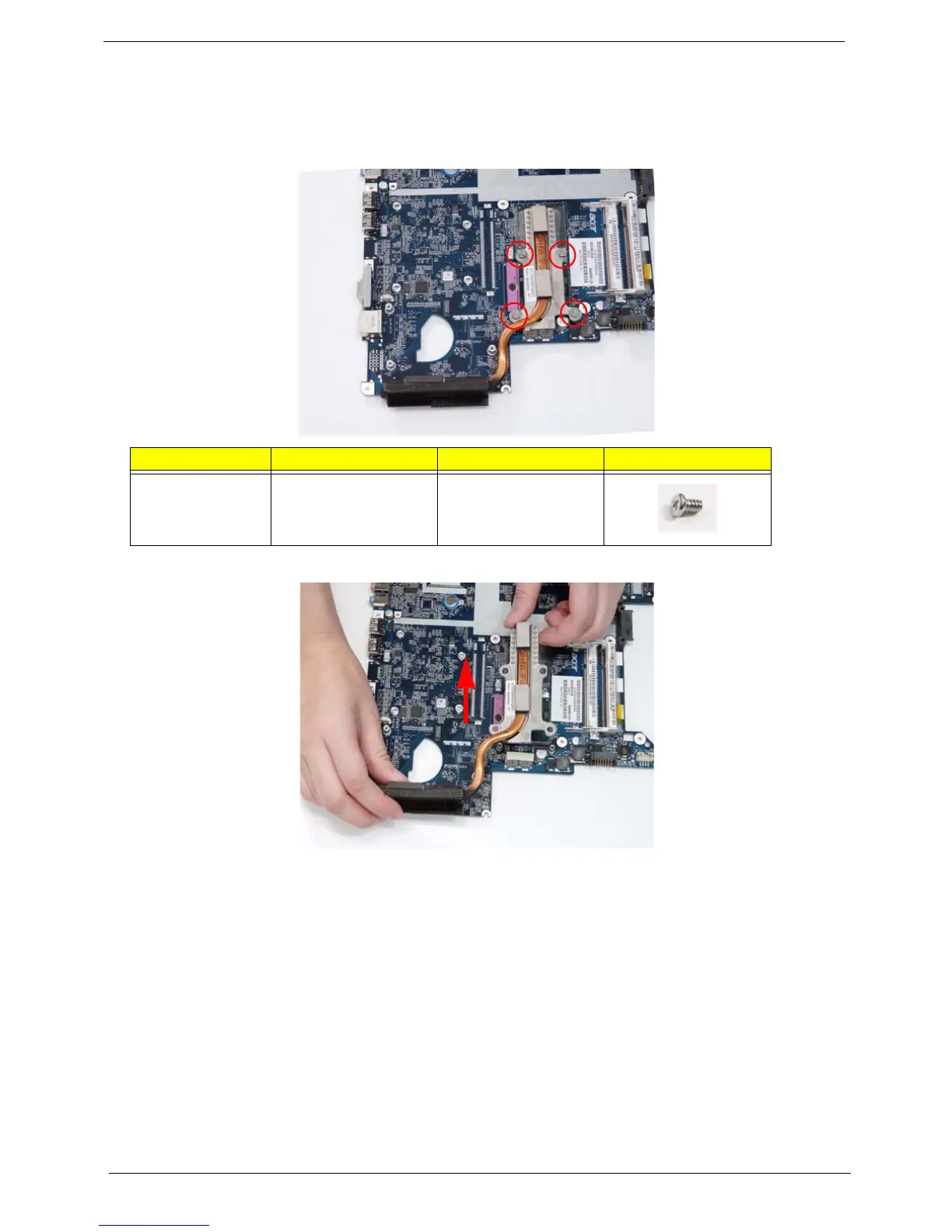
Removing the Thermal Module
1. See “Removing the CPU Fan” on page 73.
2. Remove the four securing screws (in reverse numerical order from screw 4 to screw 1) from the Thermal
Module.
3. Using both hands, lift the Thermal Module clear of the Mainboard.
Step Size Quantity Screw Type
Thermal Module M2.5*6.5 4
1
2
3
4














 To Next Page