Chapter 3 67
Removing the Speaker Modules
1. See “Removing the Upper Cover” on page 62.
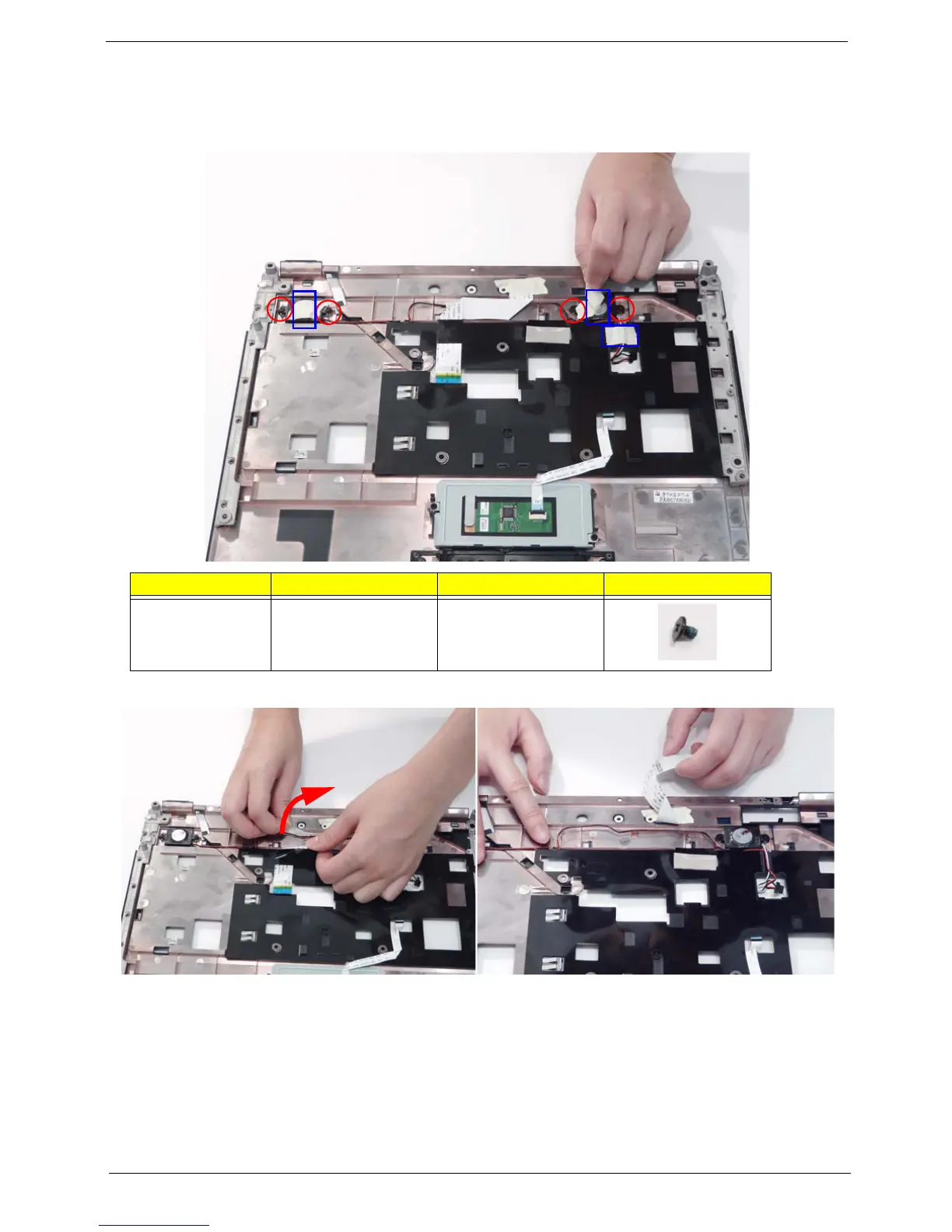
2. Remove the adhesive tape (blue callouts) and four securing screws (red callouts) from the speaker modules.
3. Peel back the Power Board FFC cable to expose the speaker cable.
4. Remove the speaker cable from the cable guides as shown.
Step Size Quantity Screw Type
Speaker Modules
(red callout)
M2*L3 4














 To Next Page