Chapter 3 55
Removing the Switch Cover
CAUTION: Using tools to remove the Switch Cover may cause damage to the outer casing. It is
recommended that you only use your fingers to remove the Switch Cover.
1. See “Removing the Battery Pack” on page 44.
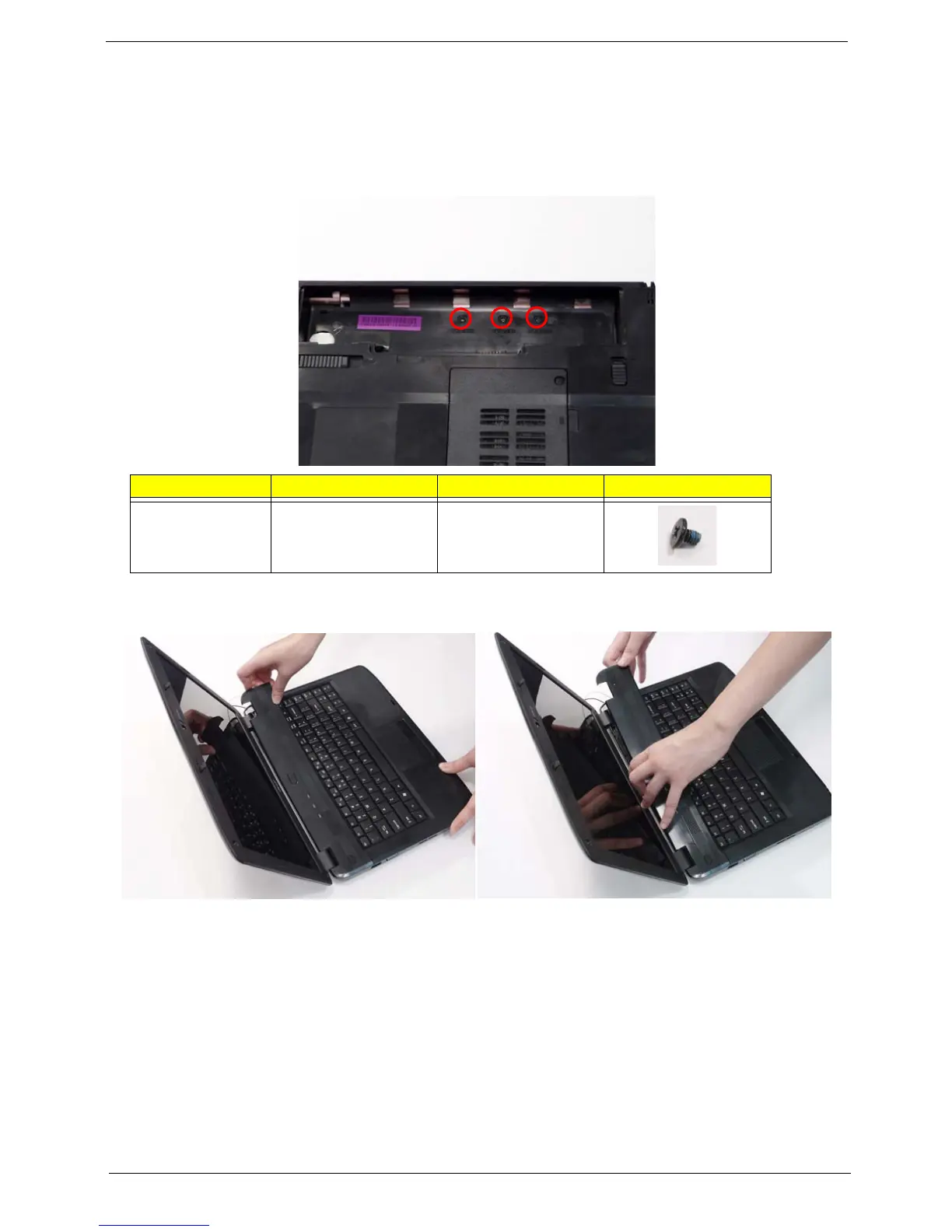
2. Locate and remove the three securing screws from the battery bay.
3. Turn the computer over and open the LCD module to expose the Switch Cover.
4. Lift the Switch Cover as shown, and move from right to left side.
5. Lift the Switch Cover clear of the chassis.
Step Size Quantity Screw Type
Switch Cover M2.5*5 3














 To Next Page