Chapter 3 65
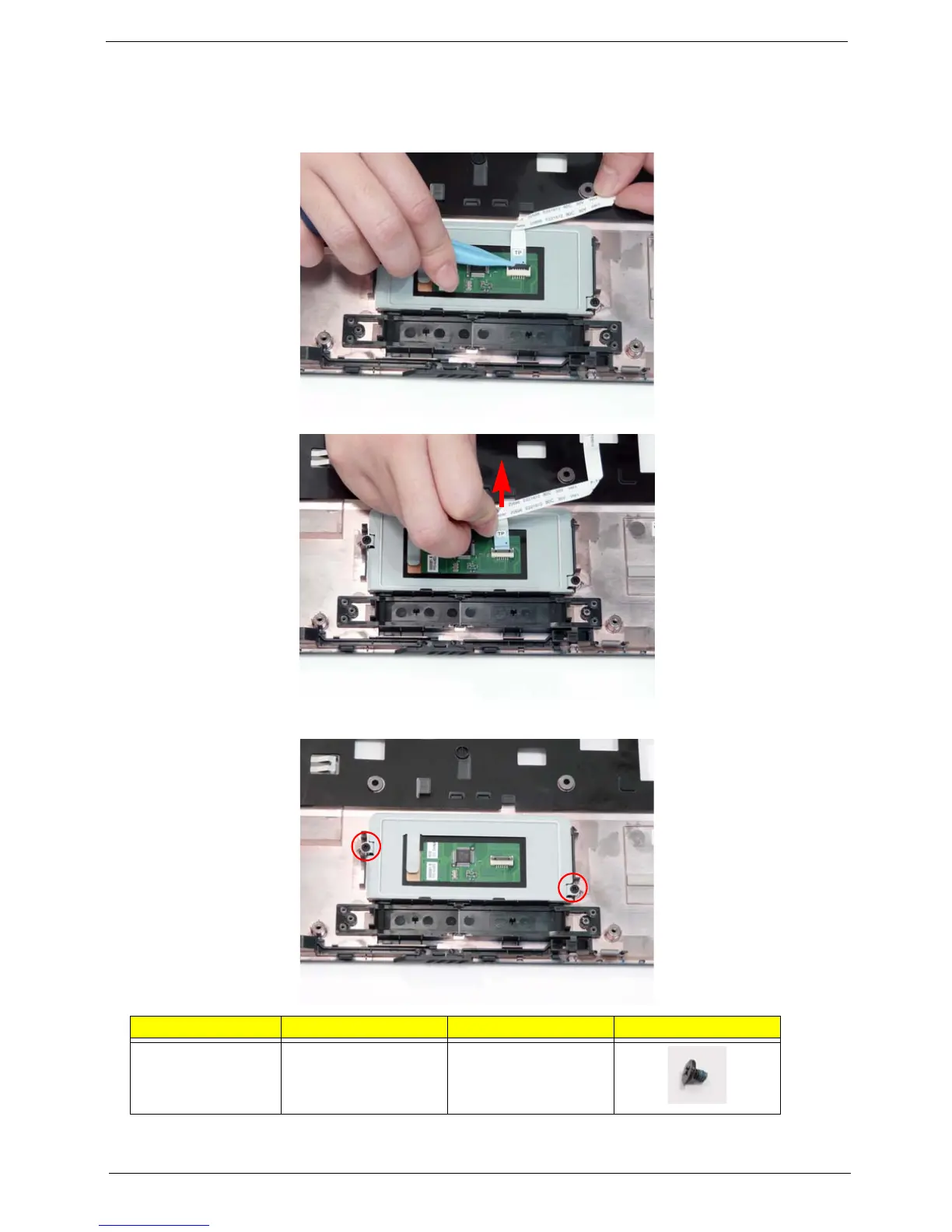
Removing the TouchPad Bracket
1. See “Removing the Upper Cover” on page 62.
2. Lift the cable latch and disconnect the TouchPad cable from the TouchPad board.
3. Remove the two securing screws from the TouchPad bracket.
4. Push the TouchPad bracket to the left to clear the securing clip.
Step Size Quantity Screw Type
TouchPad Bracket M2*L3 2














 To Next Page