66 Chapter 3
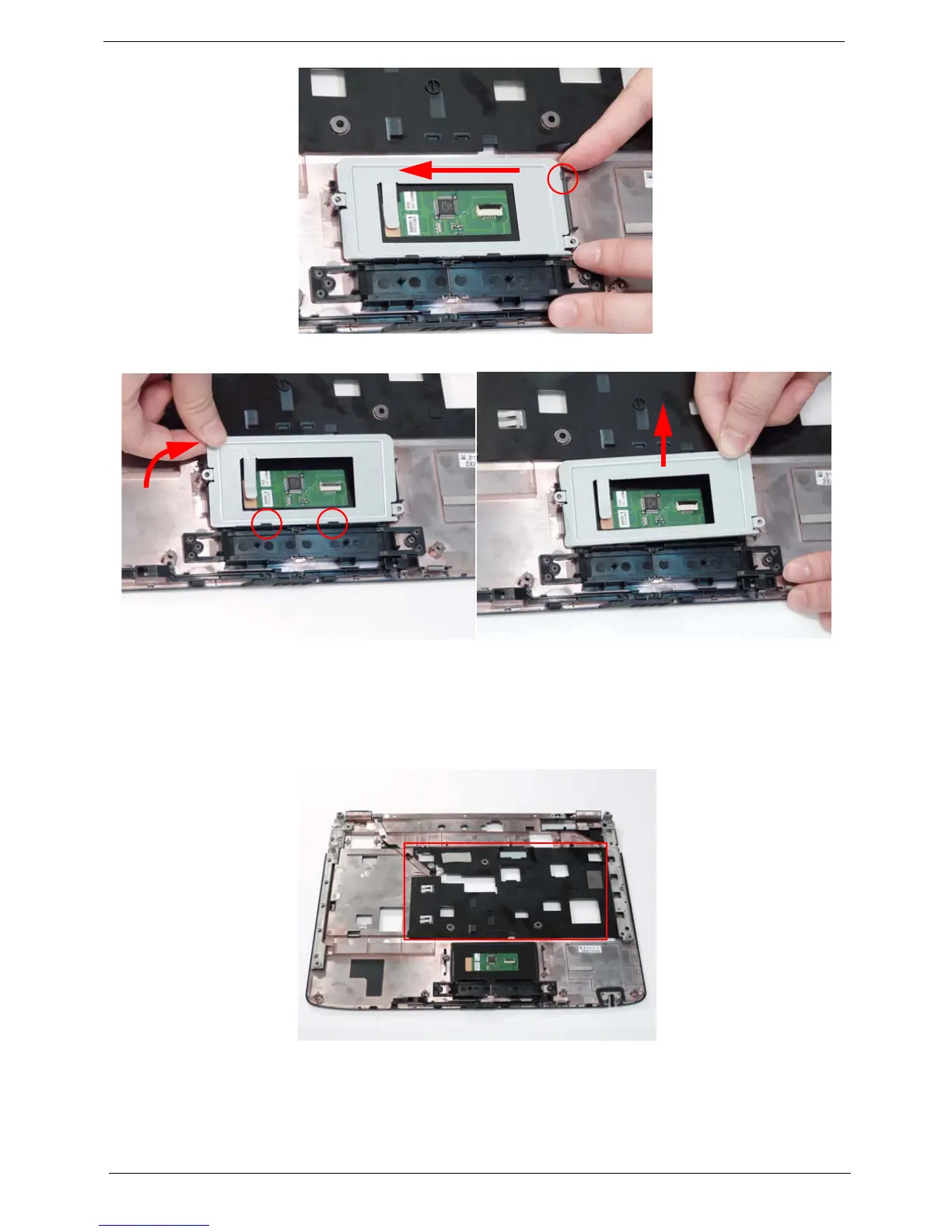
5. Lift the rear edge of the TouchPad bracket first to clear the securing clips and remove the it as shown.
IMPORTANT:The TouchPad board is integrated into the design of the Upper Cover. To replace the TouchPad
board, remove all components from the Upper Cover and install an entirely new Upper Cover.
IMPORTANT:The MOSFET pad is attached to the Upper Cover and is reusable. If the replacement Upper
Cover does not have a MOSFET pad (see highlighted area below), remove the MOSFET pad from
the replaced Upper Cover and stick it to the new Upper Cover.














 To Next Page