Emerson FB1200 Flow Computer Instruction Manual
D301782X012
March 2019
48 Installation
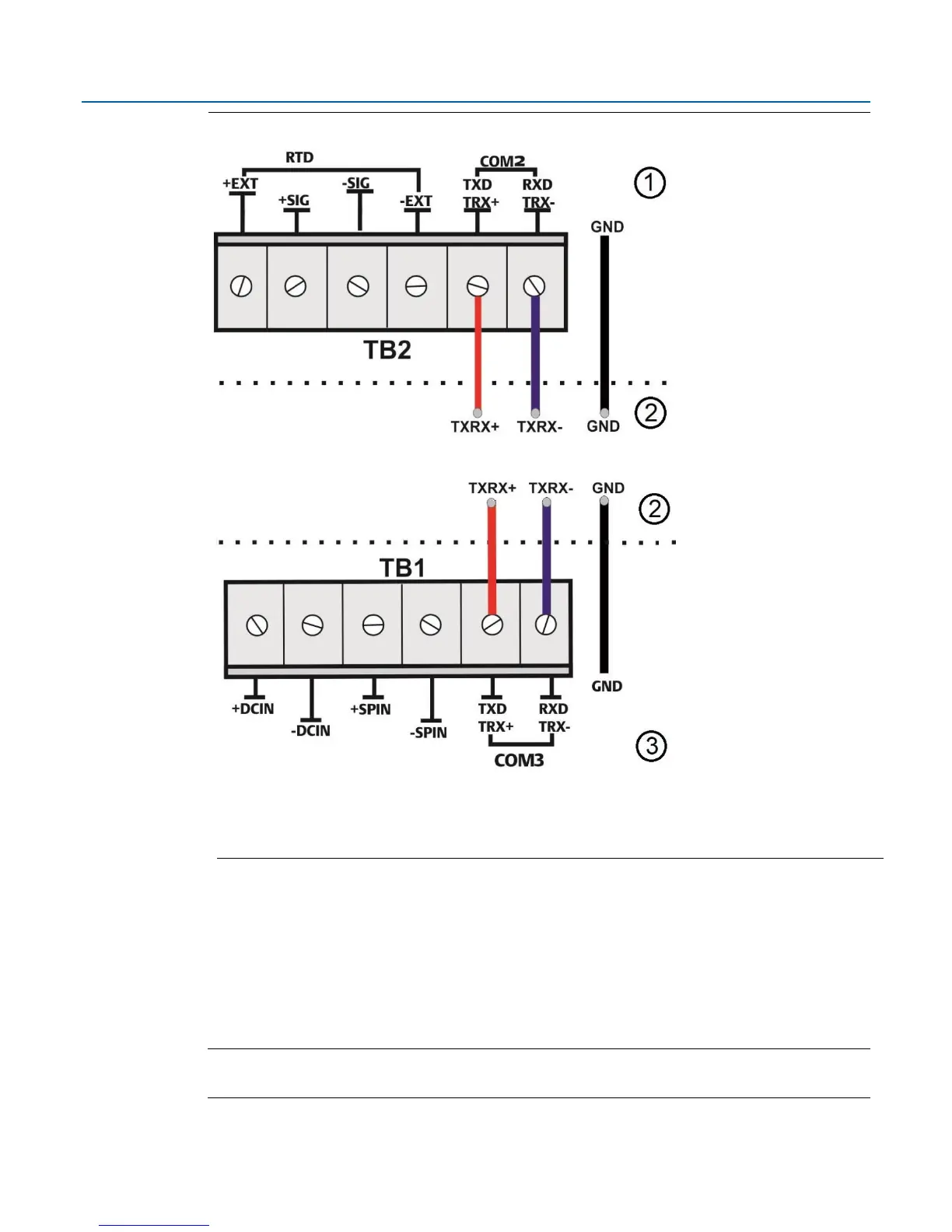
Figure 2-34: Connecting a Device to COM2 or COM3 Using RS-485 (without optional I/O)
Regardless of the interface standard (RS-232 or RS-485), you must use FBxConnect to configure
the port for proper usage.
2.13.3 Ethernet Port
The Ethernet port is a standard 8-pin 10/100Base-T RJ-45 modular connector located on the
terminal plate. Connect to the Ethernet port using the appropriate Category 5 shielded patch cable
Note
The default IP address for the Ethernet port is 192.168.1.10; the default port is 20000.

















 To Next Page