Reference Manual
00809-0100-4716, Rev JA
May 2008
3-3
Rosemount 3095 MultiVariable
HART
Installing the HART Modem
After the EA Software has been installed, the HART modem device driver
must be installed and configured. The HART modem Installation Wizard
automatically appears when the 3095 EA Software is launched. If the wizard
does not automatically launch, you can configure the modem by accessing
the AMS Network Configuration screen.
If using a HART USB Modem, the modem drivers must be installed prior to
configuring the HART Modem. The USB Modem drivers can be installed by
following the instructions for the software provided with the HART USB
Modem.
For AMS Snap-On users:
1. Click on the Windows “Start” button.
2. Click on “All Programs.”
3. Click on the “AMS” folder.
4. Click on the “AMS Configuration” icon.
For EA Stand-Alone users:
1. Click on the Windows “Start” button.
2. Click on “All Programs.”
3. Click on the “Engineering Assistant” Folder.
4. Click on the “AMS Network” icon.
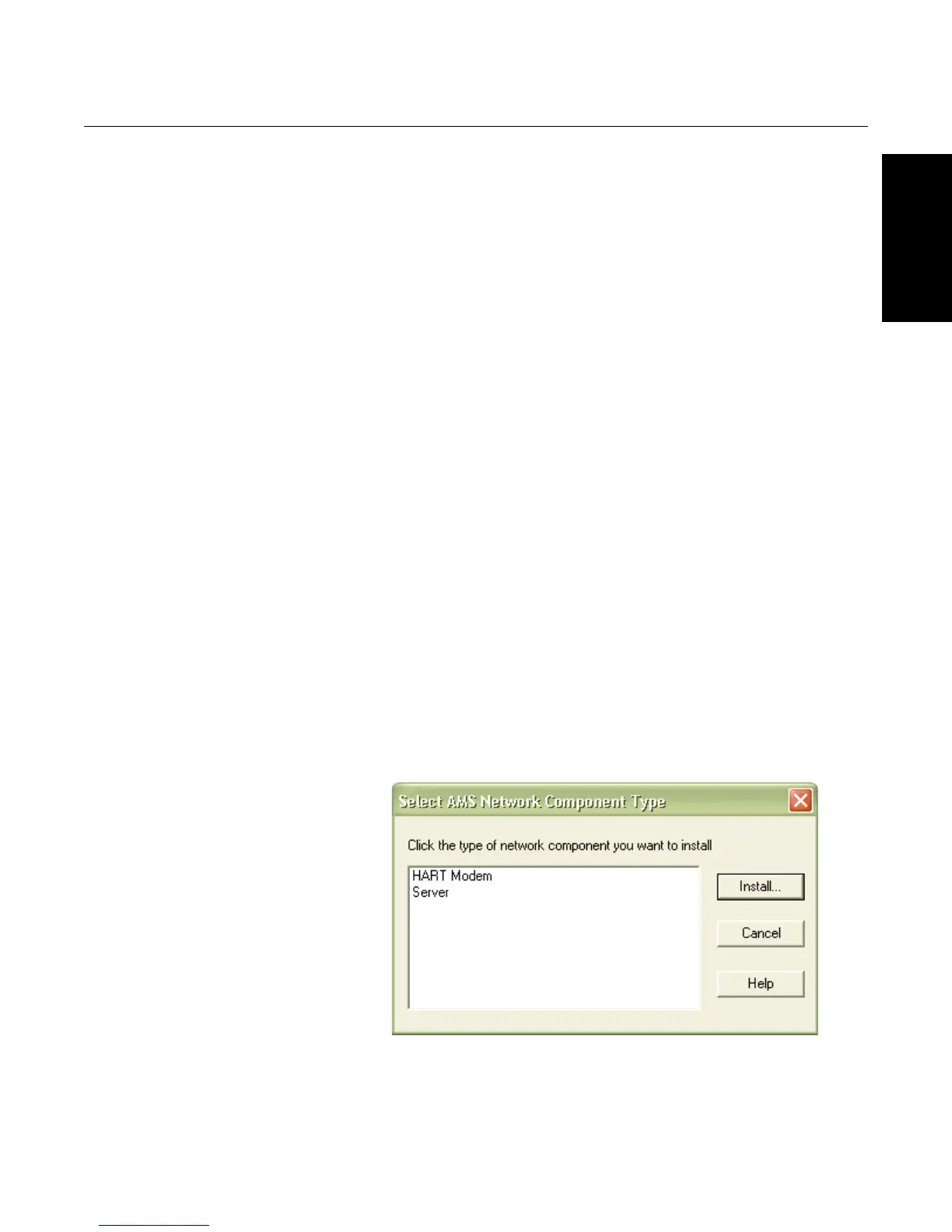
Once the Install Wizard is open, the HART modem can be installed.
1. Click on the “Add” button.
2. Select “HART Modem” and click the “Install…” button.
Figure 3-1. HART Modem
Installation










 To Next Page