Reference Manual
00809-0100-4716, Rev JA
May 2008
Rosemount 3095 MultiVariable
3-4
HART
3. Specify a name for the HART Modem. The default is “HART Modem
1.” Click “Next.”
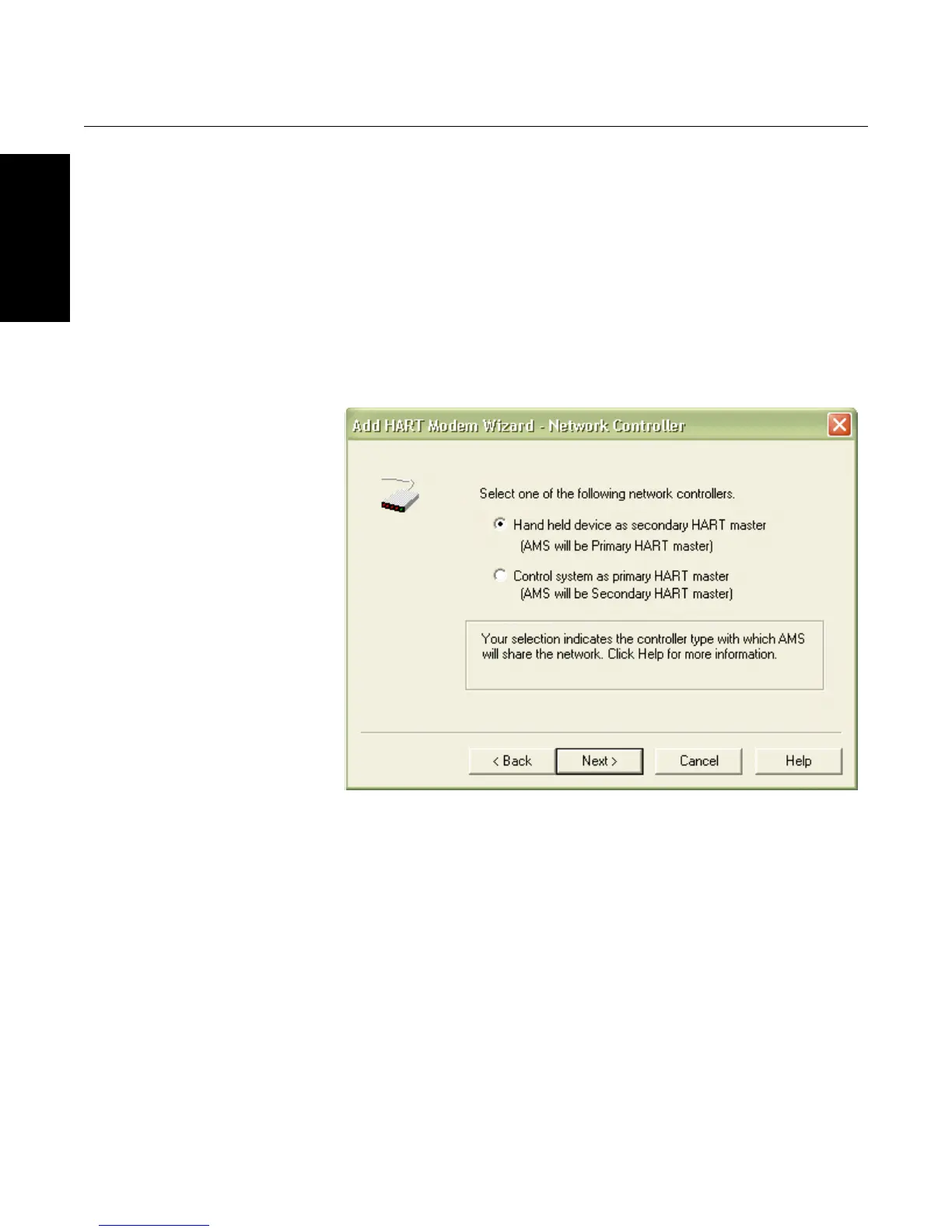
4. Specify whether AMS will act as a primary or secondary HART
master for configuration (See Figure 3-2). If performing a bench
configuration, it is recommended to choose “Hand held device as a
secondary HART master (AMS will be Primary HART master)”. For
field configurations where the instrument is powered by a HART
protocol control system, selecting the second choice is recommended
in order to prevent HART communication conflicts between AMS and
the HART control system. Click “Next.”
Figure 3-2. HART Modem
Installation
5. Select the PC COM Port for the HART Modem. Click “Next.”
6. If more than one device will be connected to the HART modem at the
same time (such as a Rosemount 333 Tri-Loop), select the “Multi
Drop” check box and then select a scan address range. (Limiting the
address range to 0-2 will improve response time.) Click “Finish” to
complete the HART modem configuration.
7. After configuring the HART modem in the AMS network window,
access the HART modem properties screen again and select the
“Connection” tab. Set the “Retry Count” to a value of 6.









 To Next Page