WEP: Open System and Shared Key requires the user to set a WEP key to exchange data
with other wireless clients that have the same WEP key.
WEP Key Format: Select the key format from the drop-down list HEX or ASCII.
WEP Key Length: Select the level of encryption from the drop-down list. The WLAN
Router supports, 64 and 128-bit encryption.
WEP Key 1 ~ 4: Enables users to create up to 4 different WEP keys. Manually enter a set of
values for each key. Select a key to use by clicking the radio button next to the key. Click
“Clear” to erase key values.
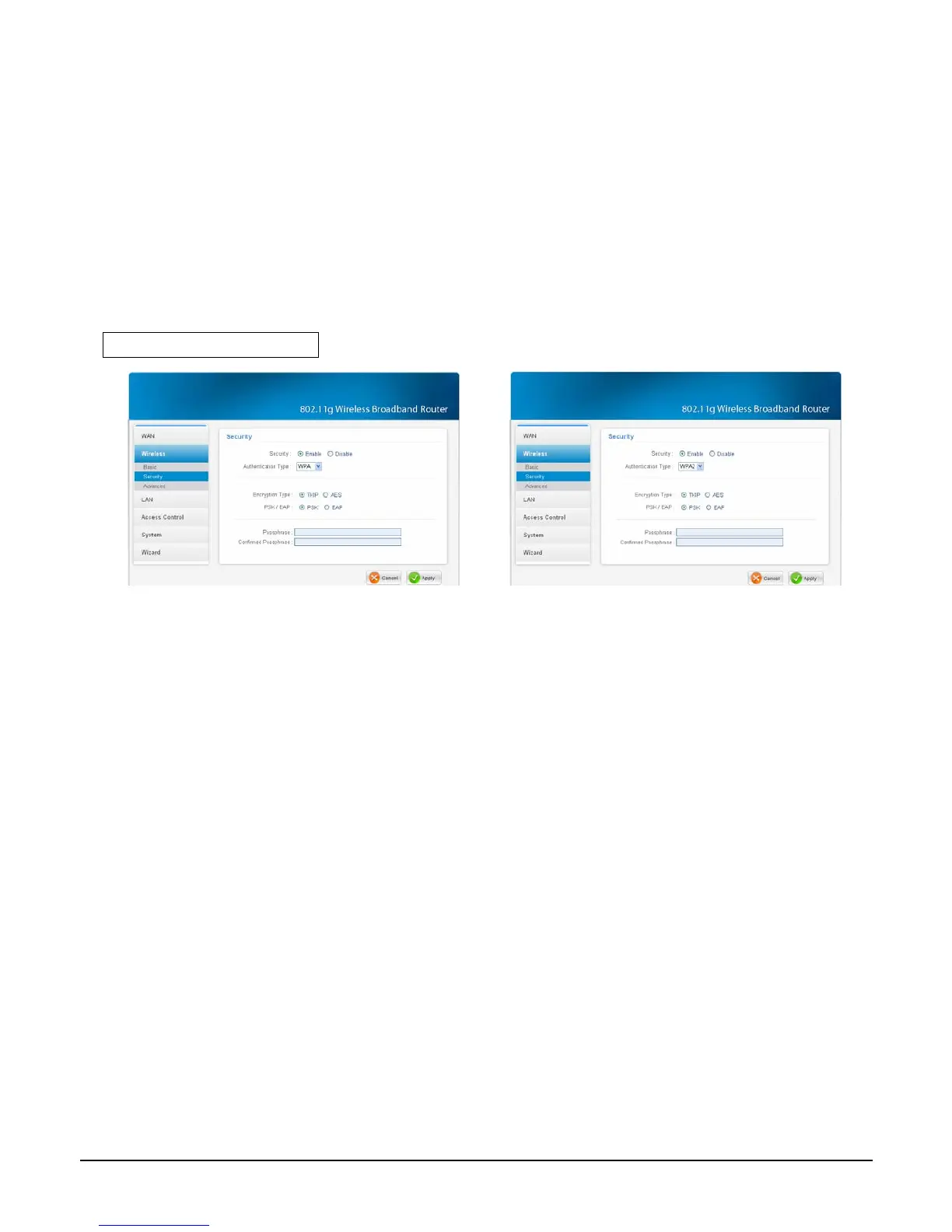
WPA-PSK / WPA2-PSK
Figure 44.
Figure 45
If WPA or WPA2 PSK is selected, the above screen is shown.
Encryption Type: Select the encryption type for TKIP or AES encryption.
Passphrase: The length should be 8 characters at least.
30



 To Next Page