Page 18
Temperature Settings
A SETPOINT is identified by a NAME and specifies heating and cooling target temperatures.
Example: If the SETPOINT is set to WAKE, with COOL temperature of 78°F and HEAT temperature
of 70°F, a thermostat operating in AUTO mode will keep your dwelling’s temperature at the
predefined HEAT or COOL temperature. In the summer, the thermostat will COOL your dwelling
down to 78°F. In the fall, the thermostat will engage the HEAT mode, heating your dwelling up to
70°F throughout the winter. In the spring, when temperatures rise again, the thermostat will change
back to COOL mode.
The SETPOINTs HEAT and COOL temperatures can be changed either from the Quick Schedule
screen or from the menu item SETPOINTS selected from the ADVANCED SCHEDULE menu, as
explained below.
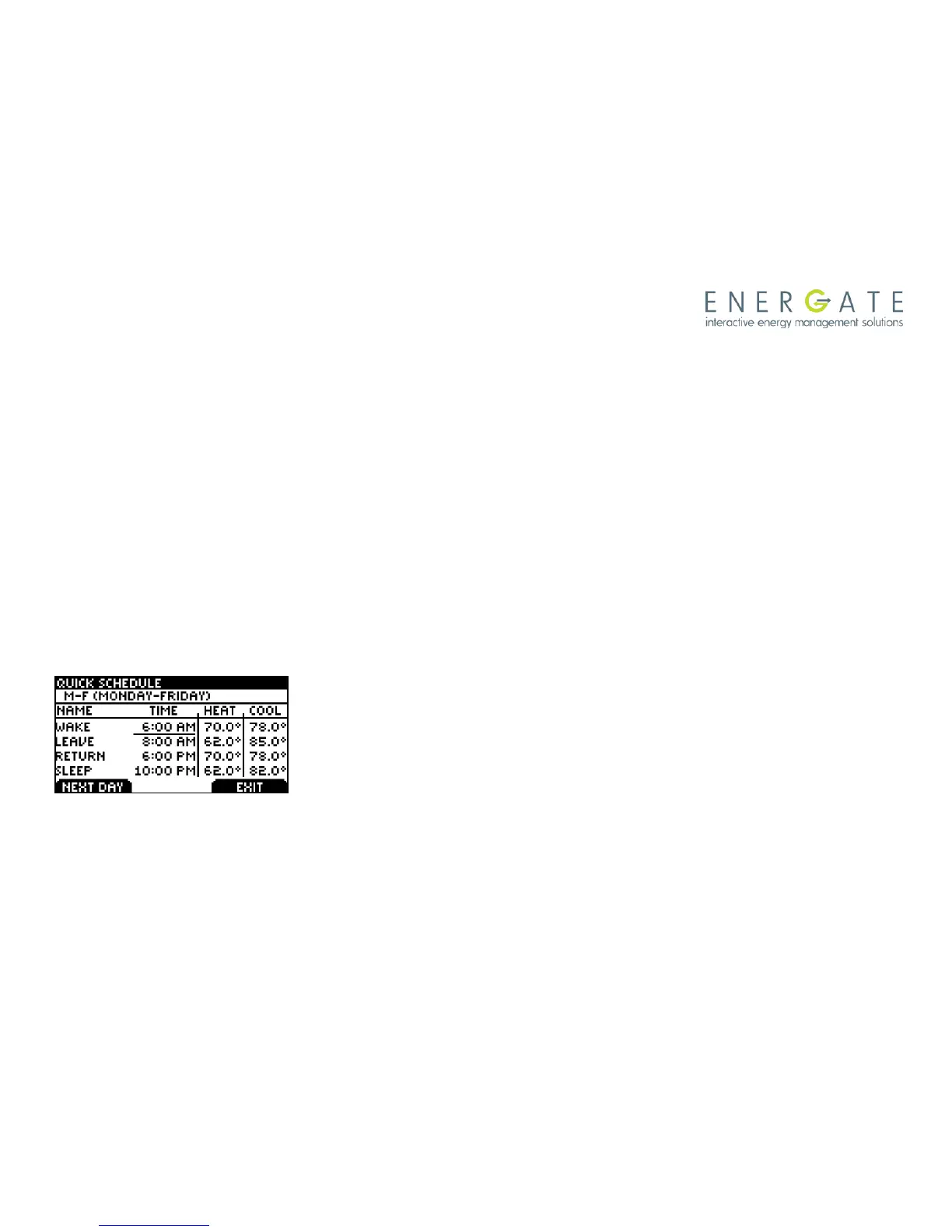
Quick Schedule
The QUICK SCHEDULE screen allows you to quickly modify the
temperatures and starting times of the SETPOINTS. You can get
into this screen from the Main Menu. Use the MENU / SELECT
button to select the starting time or HEAT or COOL temperature that
you wish to change, and use the SCROLL buttons to obtain the
desired value. Press the LEFT TAB that will show SAVE CHANGES
and then continue with the NEXT DAY (shown now on the LEFT
TAB).



 To Next Page