Page 8
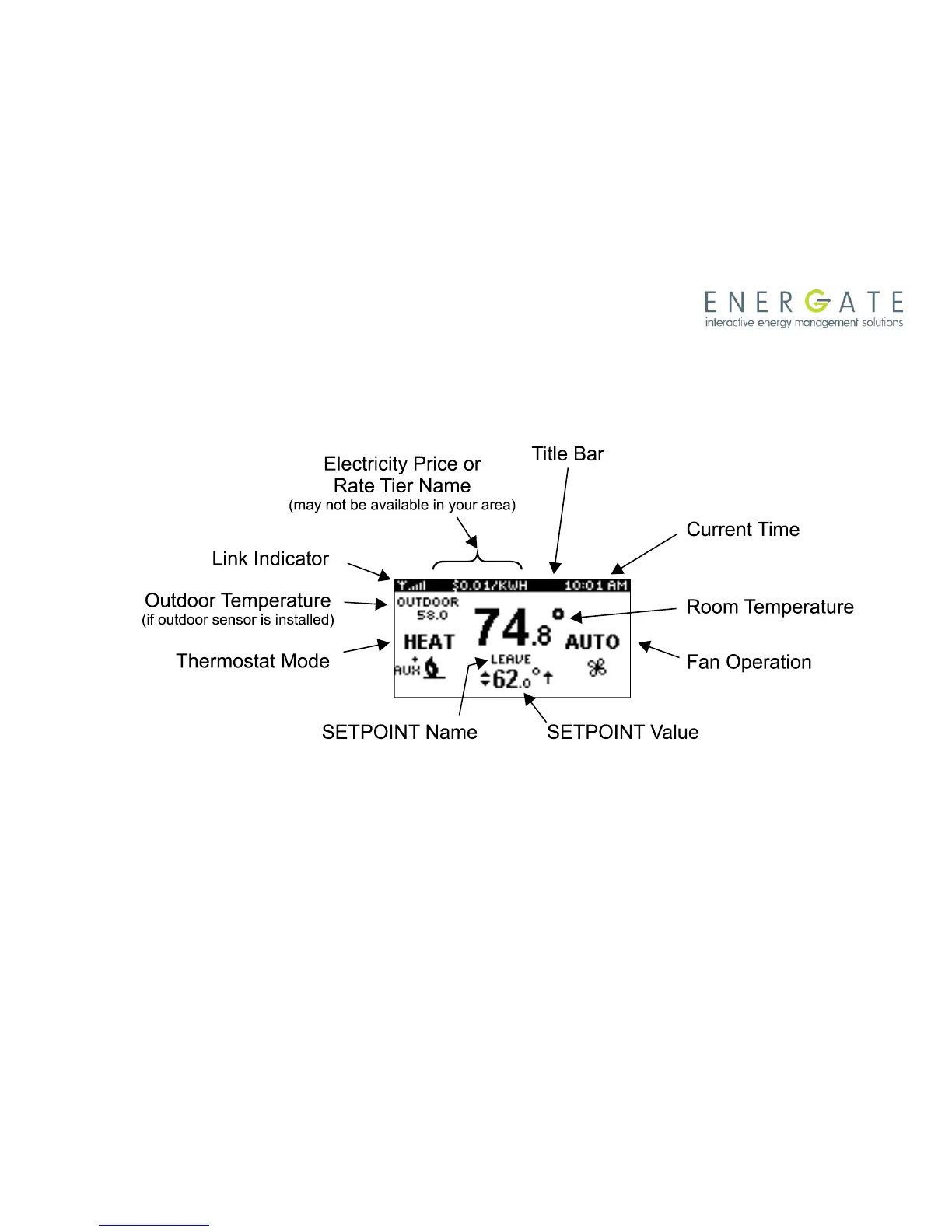
Home Screen
The Home screen displays current temperature and operation data. When the Home screen is in
Idle mode, the backlight is on with low brightness. Please note that icons such as heat or fan are
animated when the equipment is running.
Note: A SETPOINT (e.g., LEAVE) is identified by a name and specifies both heating and
cooling target temperatures. See the Temperature Settings section for additional information.



 To Next Page