DocNo.FM0805issueAPage30
35.CHECKINGTELEPHONESFORPRIVACY/FAULT
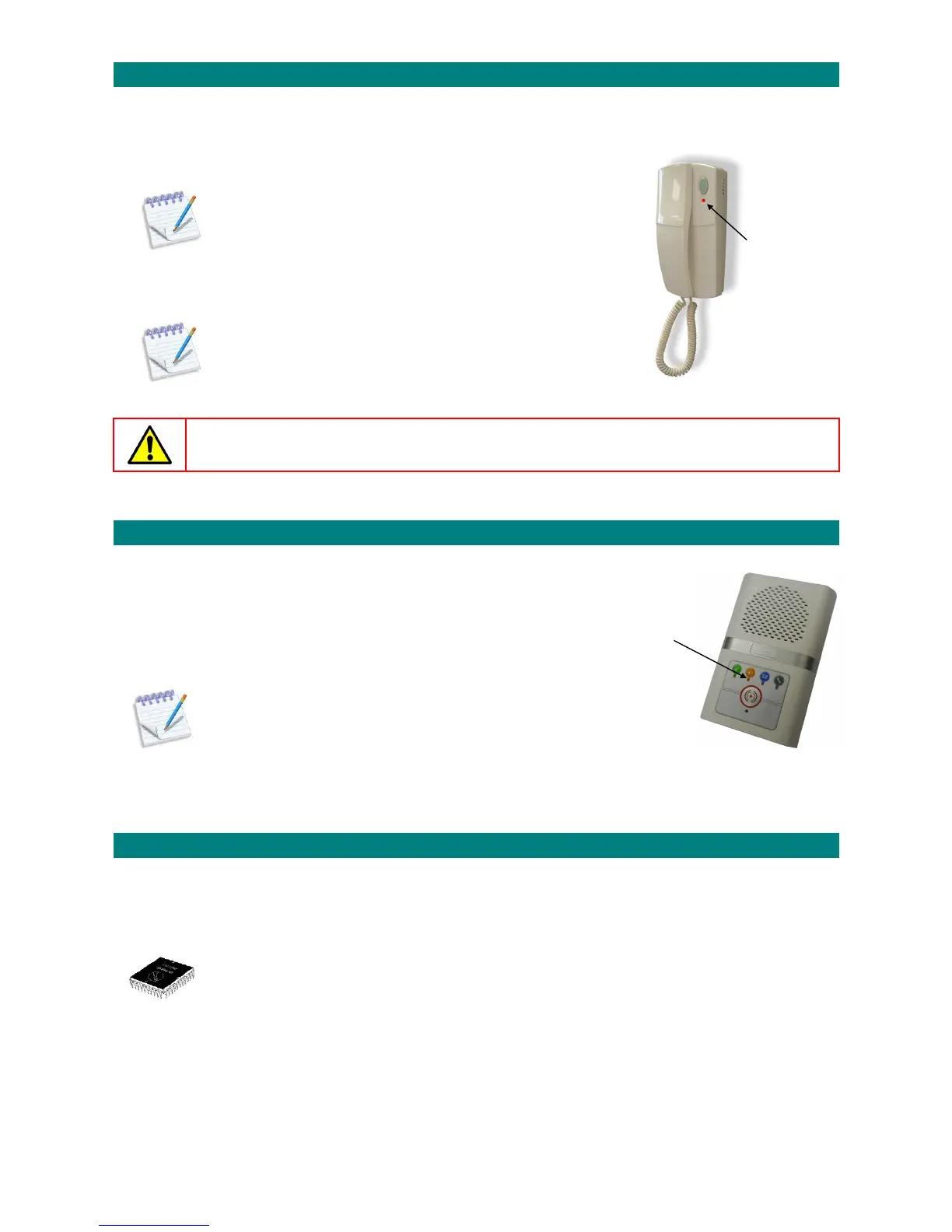
Whenadoorentrytelephonehasprivacymodeselected(telephone lightlitRED)theresidentwillnotreceiveanydoorentrycalls.
Youcancheckwhichtelephoneshaveprivacyonorifanyfaultsexistbyenteringspecialcodesonthecordlesshandset.
LISTTELEPHONESINPRIVACYMODE:
1.PresstheTALKkeyandenter81
2.Waitforthe“Ready”promptintheearpiece
3.Enterthecode8008followedbythekey
4.Allflatswithtelephonesinprivacymodewillbeheardintheearpiece
5.Waitforthe“Ready”promptintheearpiece
6.PresstheENDkeytocleartheconnection
LISTTELEPHONESWITHAFAULT:
1.PresstheTALKkeyandenter81
2.Waitforthe“Ready”promptintheearpiece
3.Enterthecode8009followedbythekey
4.Allflatswithfaultytelephoneswillbeheardintheearpiece
5.Waitforthe“Ready”promptintheearpiece
6.PresstheENDkeytocleartheconnection
Atelephonewithafaultwillnotreceivedoorentrycalls–callyourServiceEngineer.
36.CHECKINGINTERCOMSFORPRIVACY
Whenanintercomiscalledwithprivacymodeselected(intercomlightislitSTEADYAMBER)
theresidentcanhearyourvoicebutyoucannothearthem.
Youcancheckwhichintercomshaveprivacymodeselectedbyenteringa
specialcodeonthecordlesshandset;
LISTINTERCOMSINPRIVACYMODE:
1.PresstheTALKkeyandenter81
2.Waitforthe“Ready”promptintheearpiece
3.Enterthecode5003followedbythekey
4.Allflatswithintercomsinprivacymodewillbe heardintheearpiece
5.Waitforthe“Ready”promptintheearpiece
6.PresstheENDkeytocleartheconnection
______________________________________________________________________________________________________________
37.CHECKINGCONTROLLERFIRMWAREVERSIONS
TheAdventxtcontrollerfirmwareversionscanbecheckedusingthecordlesshandset.
CHECKINGTHEFIRMWAREVERSIONS:
1.PresstheTALKkeyandenter81
2.Waitforthe“Ready”promptintheearpiece
3.Enterthecode4009followedbythekey
4.Threefirmwareversionswillbeannouncedandloggedonthesystemprinter.
5.Waitforthe“Ready”promptintheearpiece
6.PresstheENDkeytocleartheconnection
Dependingonthefirmwareversionsnotallthefeaturesdescribedinthismanualmaybeavailable.
Contactyourinstallation/maintenancecompanyfordetailsofanyupgrades.
_______________________________________________________________________________________________________________
REDlightON
means
privacymode
isselected
STEADYAMBERlightONmeans
privacymodeisselected



 To Next Page