DocNo.FM0805issueAPage31
38.DATABACK‐UP/RESTOREFUNCTION
Allsystemconfigurationandradiodevicedataisautomaticallysavedtoaremovablememorycard.Intheunlikelyeventofcomplete
systemfailurethecardcanbeswappedtoanewcontrollerandthe originalsettingscanbequicklyrestored.
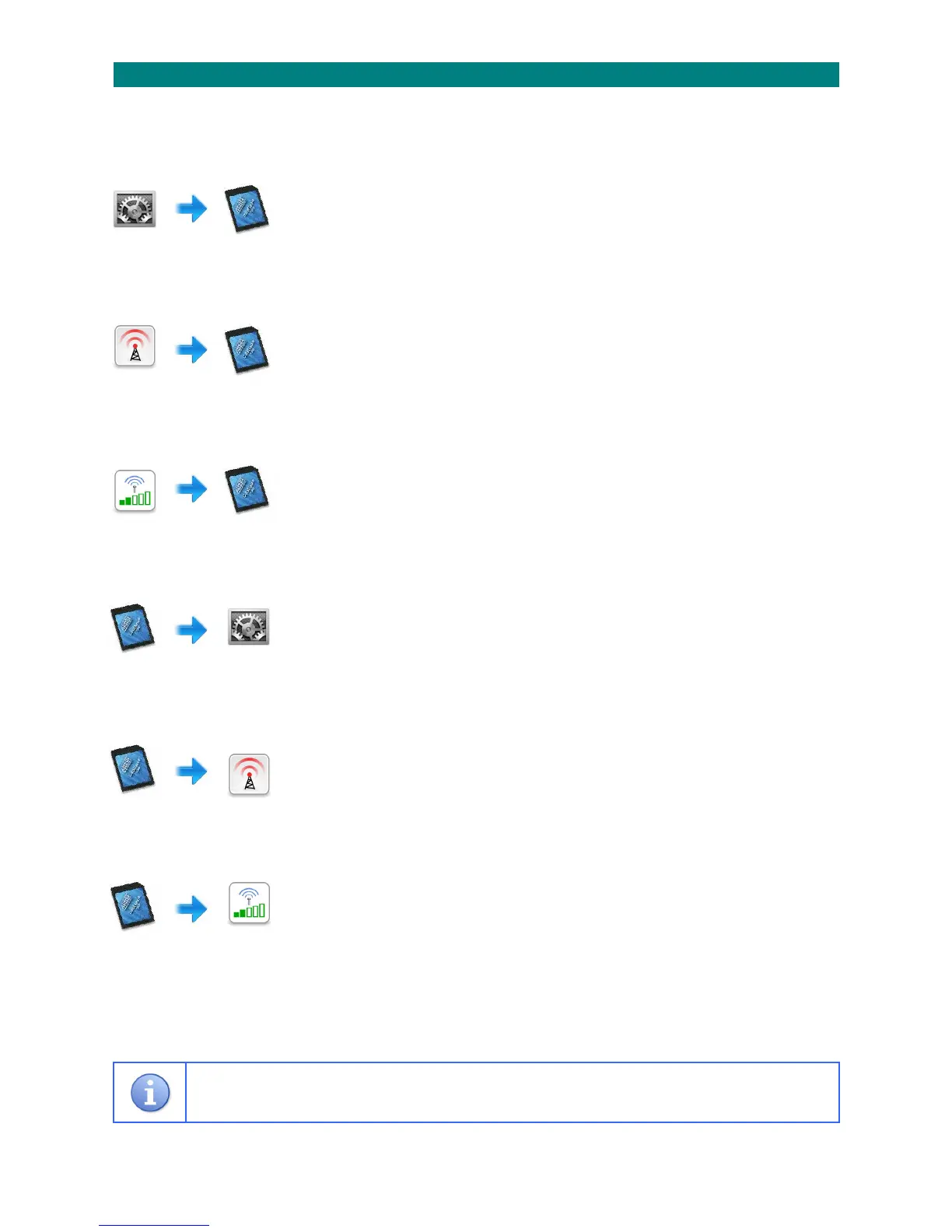
SYSTEMDATABACK‐UP:
1.PresstheTALKkeyandenter81
2.Waitforthe“Ready”promptintheearpiece
3.Enterthecode8010followedbythekey
4.Allsystemdatawillbesavedtothememorycard
5.Waitforthe“Ready”promptintheearpiece
6.PresstheENDkeytocleartheconnection
______________________________________________________________________________________________________________
RADIODEVICEDATABACK‐UP:
1.PresstheTALKkeyandenter81
2.Waitforthe“Ready”promptintheearpiece
3.Enterthecode8020followedbythekey
4.Allradiodevicedatawillbesavedtothememorycard
5.Waitforthe“
Ready”promptintheearpiece
6.PresstheENDkeytocleartheconnection
______________________________________________________________________________________________________________
ZONEDRSSIDATABACK‐UP:
1.PresstheTALKkeyandenter81
2.Waitforthe“Ready”promptintheearpiece
3.Enterthecode8030followedbythekey
4.AllzonednetworkreceiverRSSIdatawillbesavedtothememorycard
5.Waitforthe“Ready”promptintheearpiece
6.PresstheENDkeytocleartheconnection
______________________________________________________________________________________________________________
SYSTEMDATARESTORE:
1.PresstheTALKkeyandenter81
2.Waitforthe“Ready”promptintheearpiece
3.Enterthecode9010followedbythekey
4.Allsystemdatawillbecopiedfromthememorycard
5.Waitforthe“Ready”promptintheearpiece
6.PresstheENDkeytocleartheconnection
______________________________________________________________________________________________________________
RADIODEVICEDATARESTORE:
1.PresstheTALKkeyandenter81
2.Waitforthe“Ready”promptintheearpiece
3.Enterthecode9020followedbythekey
4.Allradiodevicedatawillbecopiedfromthememorycard
5.Waitforthe“Ready”promptintheearpiece
6.PresstheENDkeytocleartheconnection
______________________________________________________________________________________________________________
ZONEDRSSIDATARESTORE:
1.PresstheTALKkeyandenter81
2.Waitforthe“Ready”promptintheearpiece
3.Enterthecode9030followedbythekey
4.AllzonednetworkreceiverRSSIdatawillbecopiedfromthememorycard
5.Waitforthe“Ready”promptintheearpiece
6.PresstheENDkeytocleartheconnection
______________________________________________________________________________________________________________
Themanualdataback‐upandrestorefunctionscanonlybeperformedfor60secondsfollowingasystemreset.
ThisfacilityisintendedforEngineersuseonly.



 To Next Page