22
Next, click the component you want to add, and click the OK button. The component should
appear in the list.
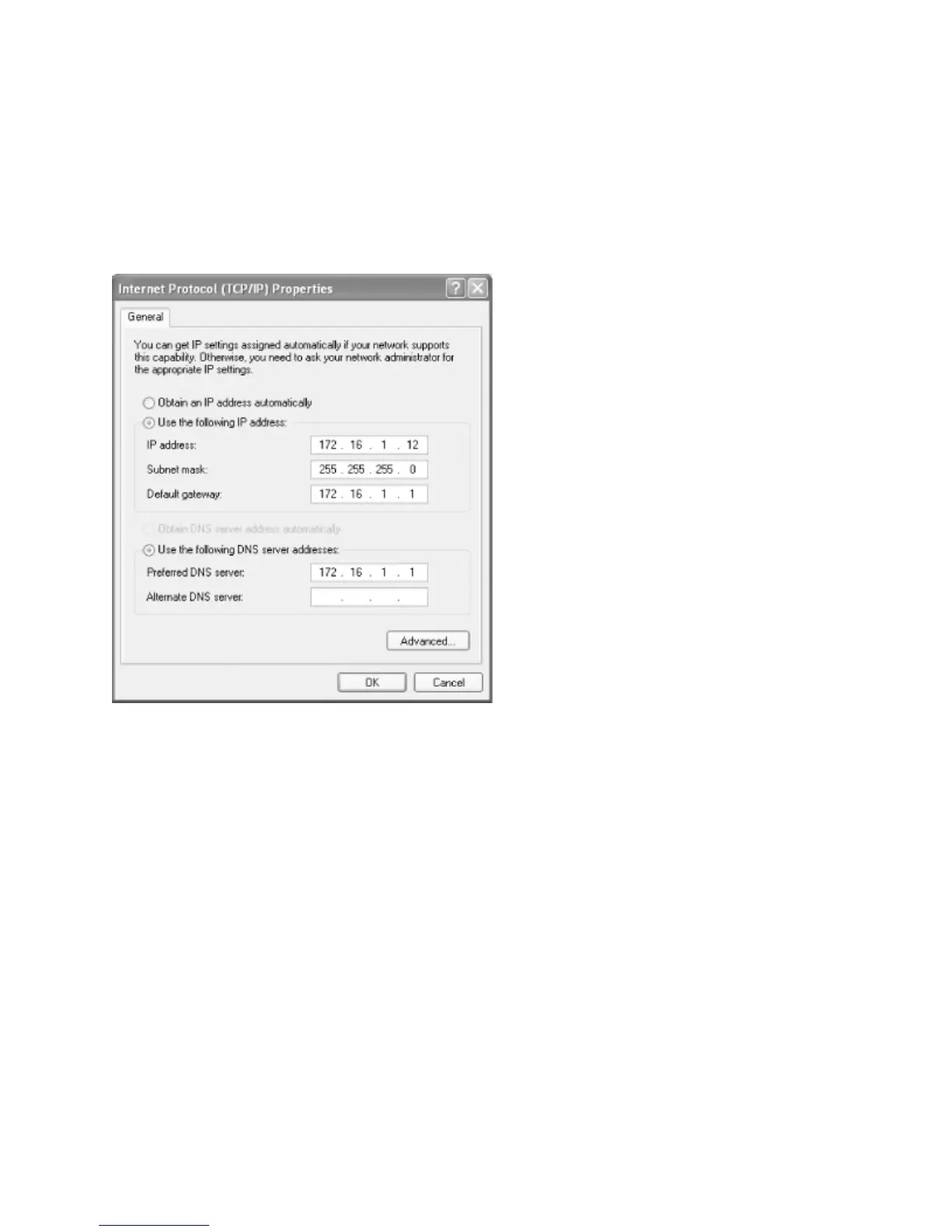
Step 2 – Click the Internet Protocol (TCP/IP) component, then click Properties to open the
TCP/IP Properties dialog box.
If you are using DHCP on your network to assign IP addresses dynamically, select the
"Obtain IP address automatically" radio button. Otherwise, select the "Use the following
address:" radio button, and fill in the computer's IP address and netmask in the spaces
provided. You or your network manager should have selected an address for the client on
the same subnet (LAN) as the Samba server. For example, if the server's address is
192.168.1.1 and its network mask is 255.255.255.0, you might use the address
192.168.1.12 (if it is available) along with the same netmask. You can also fill in the IP
address of the default gateway.



 To Next Page