24
workgroup to be all capital letters; it's smart enough to figure out what you mean when it
connects to the network.
Accessing the Samba Server from Windows XP
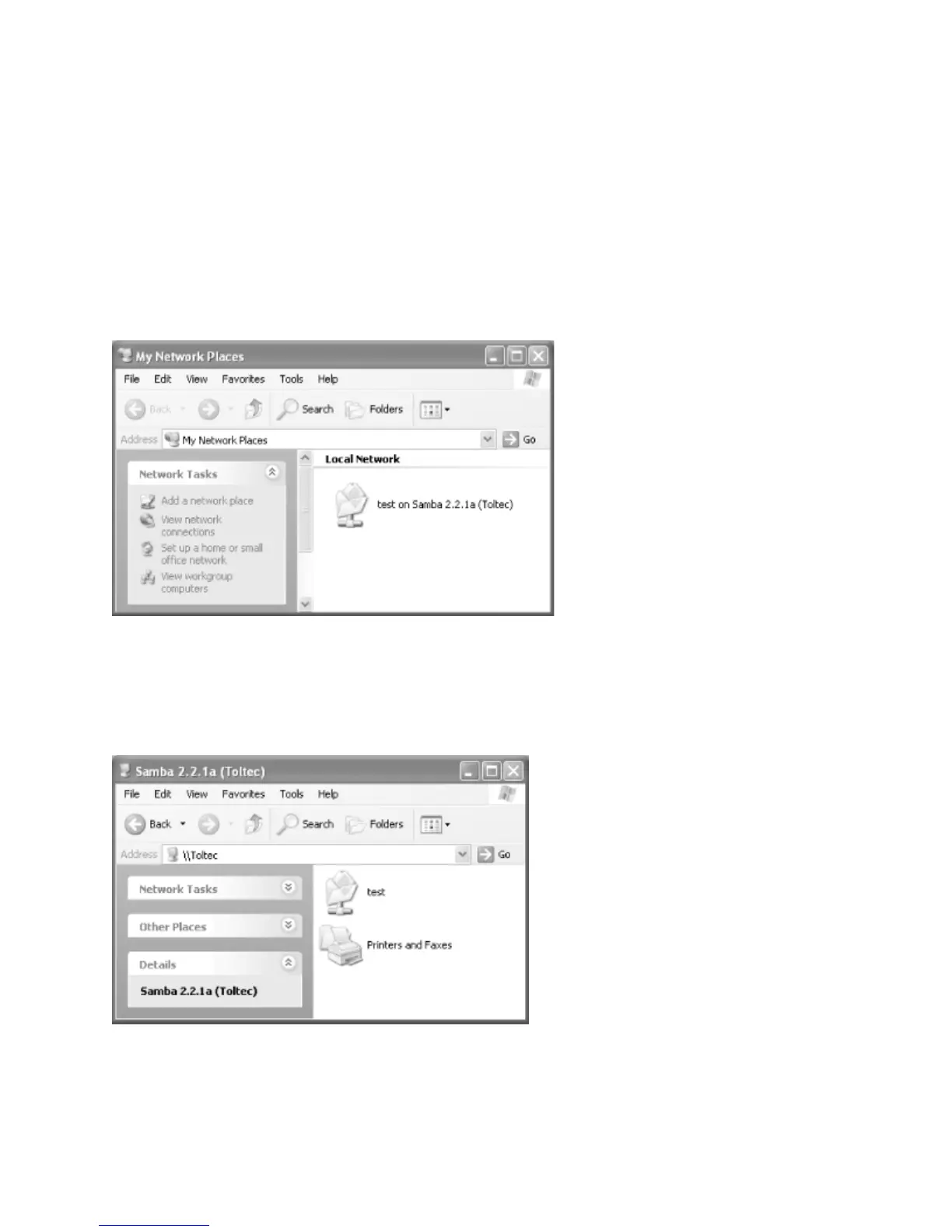
Your Samba server is running, and you have set up Windows XP to connect to it. In the Start
menu, select “My Computer” and click on “My Network Places” in the Other Places box in
the left part of the window. You should see a folder icon for the test directory.
Next, click the View Workgroup Computers link in the Network Tasks box. You should see
your Samba server listed as a member of the workgroup. Double-click its icon and you will
see the Samba share.
If you don't see the server listed in the workgroup, don't panic. Select Run from the Start
menu. Enter your LanDrive’s Host name, followed by the name of the share folder. For



 To Next Page