ENGINEERING
Page 8
Omniguard™ 4
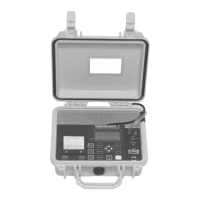
Loading the Thermal Printer Paper
Caution: Only use Omniguard thermal printer
paper! Thermal paper prints on only one side, the
side away from the paper roll. If the roll is
installed incorrectly the printer will be able to
advance the paper but be unable to print on it.
C
B
A
B
C
A
1. Cut the end of the paper to a
tapered point.
2. Place the paper A into the tray
so the paper unrolls from the
bottom.
3. Insert tapered point into slot
marked B, feed through until
tapered point can be pulled from
the top at C.
Do not use the
PAPER FEED
key to
advance the paper.
4. From C, gently pull until the
tapered portion is completely
exposed.
5. Replace lid onto the paper
housing and secure with the
thumbscrew.


 To Next Page