SOLUTIONS
Page 21
Owner’s Manual
3. Press ▲/▼ to change the setting to the Autodialer mode. The 1,
5 and 10 minute options set the retrigger time (the amount of
time the Autodialer must wait between multiple alarms before
dialing out a second time).
4. Press SAVE to save the new setting and return to the Main Menu.
Pressing the
EXIT
key will return you to the Main Menu without
saving the updated settings.
In an alarm condition, the AUX ALARM output will activate the
Autodialer only once in a given time period (1,5 or 10 minutes). This
prevents the autodialer from calling more than once if the alarm is
tripping multiple times within a short period of time. After the 1, 5
or 10 minute period has elapsed, the autodialer will dial out again if
the unit goes back into an alarm condition.
The autodialer may be disabled by pressing the ALARM SILENCE
key. The AUX ALARM output will only rearm once the unit has
returned to normal operation, this prevents the autodialer from
continuously dialing during an alarm condition.
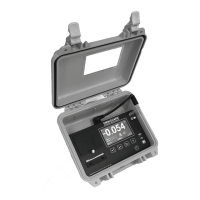
Zero Calibration
The
Omniguard 4
does not require calibration between jobs. Internal
temperature compensation and other circuity provides unsurpassed
accuracy over a 30°- 130° Fahrenheit range.
That’s the reason for the clicking noise you hear
the unit making. Its constantly compensating for
zero offset drift. We do recommend annual
calibration verification by the factory.
To manually reset the zero point --
1. Disconnect the pressure tubing from the #1 and #2 inlets.
2. Press MENU to view the Main Menu.
3. Highlight ZERO CALIBRATE using ▲/▼ and press SELECT to
choose zero calibration.
4. Press SAVE to calibrate and return to the Main Menu.
Pressing any other key will return you to the
Monitor Screen without resetting zero.
When completed, the screen will display DONE. After a few moments
the unit will automatically return to the Monitor Screen.
Note: Allow the unit to warm up for 15 minutes
prior to zero calibrating. This permits the pressure
sensor to stabilize its readings. Zero calibration
can only be done when the pressure tubing is not
attached to the unit.


 To Next Page