ENGINEERING
Page 2
Omniguard™ 4
Introduction
Unpacking
The
Omniguard 4
is shipped complete and ready to use. When
unpacking the unit, please check for the following items:
• Roll of thermal paper (installed)
• 10 ft. inlet pressure tubing
• Owner’s Manual
• Registration Card
Save the shipping box and packing material, in the event the unit
must be shipped to another location or for service. If you are missing
any items shown on the packing list, or if you have any questions
regarding your
Omniguard 4
, please call your dealer or Engineering
Solutions at (206) 241-9395.
Please remember to fill out and return the Registration Card.
Owner’s Manual Overview
This manual covers the setup and operation of the
Omniguard 4
. It
uses several different fonts and other special characters to make
various unit functions and types of reporting easy to identify. Below
is an example of each:
• Text printed on the display screen is shown as: ALARM 1
• Thermal printer text is shown as: NORMAL OP
• Keys and connectors on the front panel are shown as: ALARM
SILENCE
Features
• Real-time differential monitoring of vacuum and/or pressure
level
• Extremely simple to setup and use, with on screen help available
via a HELP key
• Log and track by Jobs. Stores multiple jobs, each with unique job
name and starting/ending dates
• Contractor name appears in all Job Logs
• Programmable high and low alarm settings
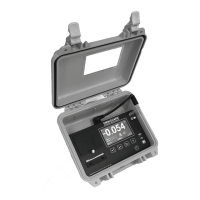
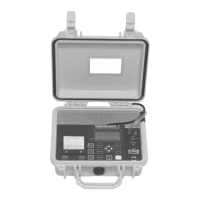
• Windowed case lid allows viewing pressure reading and status
from across the room, operates with lid closed to prevent
damage to unit from water and other construction debris
• Large easy-to-read graphic LCD display with backlight shows
current pressure reading, operation status and alarm setpoints
Omniguard
™
4
Differential Pressure Recorder


 To Next Page