ENGINEERING SOLUTIONS INC SEATTLE, WA USA
STATUS
Omniguard 4
10:27:00 12-01-03
Alarm 1: -0.025 "WC
Alarm 2: -0.100 "WC
Normal Operation:10:27:10
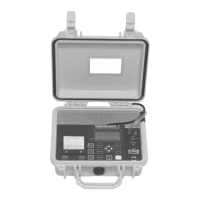
Description of Controls
MENU - displays Main Menu or selects the highlighted
item for review or editing
SELECT - press to view or change settings of the
highlighted item from the Main Menu.
▲ / ▼ - scroll through menu selections or change
settings. Step through settings by pressing
/
.
SAVE - saves updated unit settings to memory after
editing, then exits to the Main Menu.
EXIT - exits to previous screen; if editing, exits
without saving any updated settings.
Menu Keys
STATUS - LED indicator shows operating status:
green = normal operation
green flashing = waiting to reach operating pressure
orange = within 5 millinches of an alarm condition
red flashing = alarm condition
Alarm 1
Alarm
-0
Printer Keys
PRINTER ON/OFF - turns the printer on and off. Printer status
is indicated by the printer symbol at the Monitor Screen.
PRINT JOB - press to print a current Job Report. Actual report
type is assigned to key in the Print Job Key Setup menu item.
Cancel printing by pressing any key.
PAPER FEED - advances the printer paper.
POWER ON/OFF - turns unit on and off.


 To Next Page