: -0.100"
N O R M A L
.058
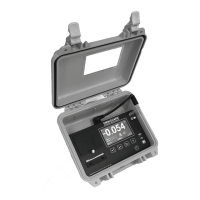
#1 - inlet connector for pressure tubing from
containment.
#2 - inlet connector for sensing ambient
pressure from outside containment.
DC IN - connects to optional external battery.
AUX ALARM - SPDT relay output supports
optional remote alarm or telephone autodialer.
SERIAL - connector for sending data to a PC
or an external modem.
USB - connector for sending data to a PC.
Ports
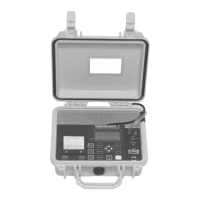
ALARM SILENCE - silences the internal buzzer and AUX ALARM
output when an Alarm Condition occurs. Audible Alarm status is
indicated by the buzzer symbol at the Monitor Screen.
DISPLAY - toggles display thru 4 different screens: monitoring,
pressure only, inverted monitoring & inverted pressure only.
START JOB - press to begin a new Job. Assign a name to the new Job.
Ends previous Job and prints its Summary report.
HELP - provides information about the highlighted item or displays
Help Menu to select a topic for which more information is available.


 To Next Page