28
Go To PVR Recordings
Highlight Record Programs and
press OK.
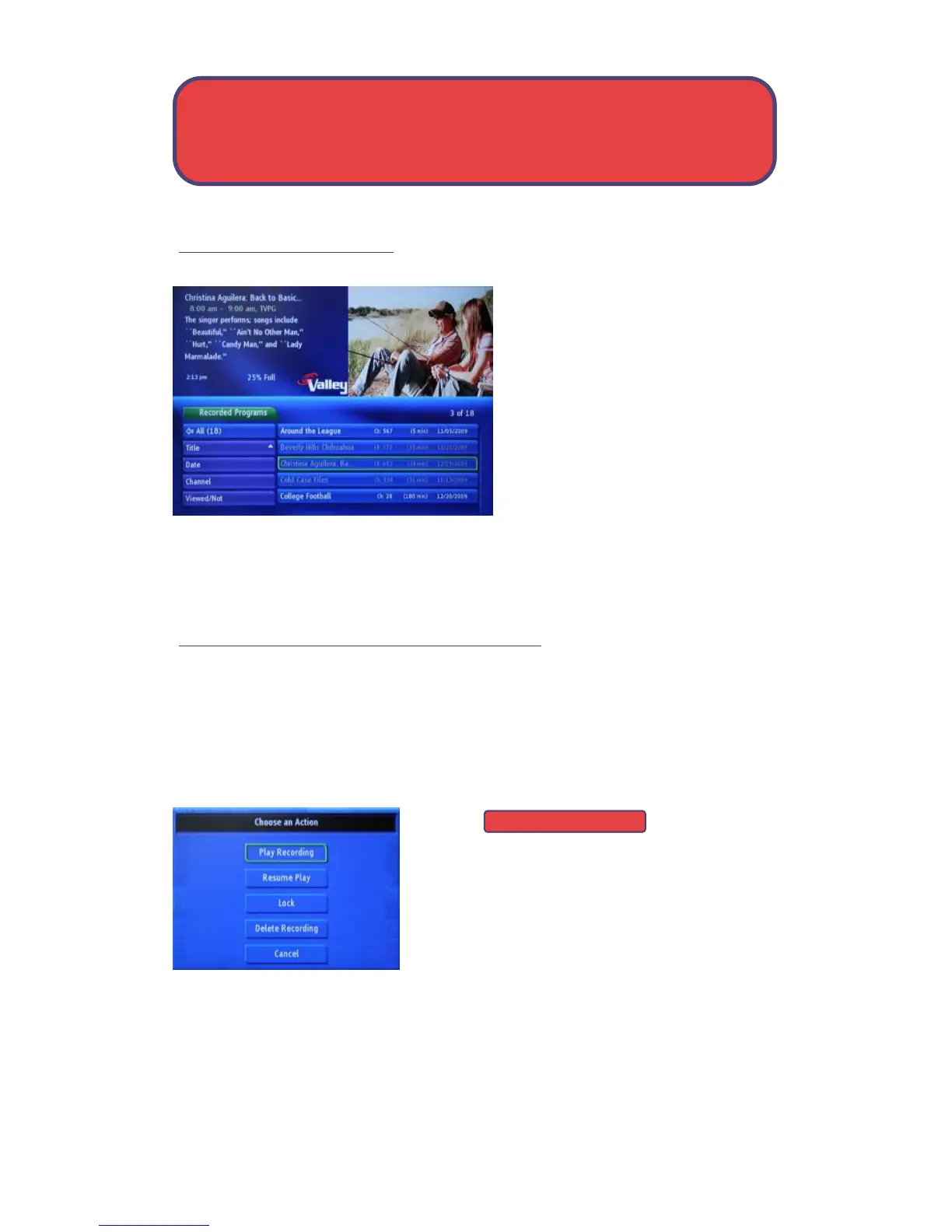
A list of your recorded programs
will appear to the right.
Recordings are listed from newest
at the top to oldest at the bottom.
The program name, and the date
the recording is made are listed.
Any program still being recorded is listed with a red dot icon to the right of
the recording date.
Watch A PVR/DVR-recorded Program
Step 1: Pick a Recording
Highlight the recording you want to watch and press OK.
Step 2: Play The Recording
Highlight
and press OK.
Step 3: Watch the Recording
You will exit the PVR/DVR menu and your recording will begin playing. The
InfoBar will appear for a few seconds with a blue PVR/DVR icon to the
right to indicate you are playing a PVR/DVR recording.
Play Recording
PVR/DVR - Menu & Recordings



 To Next Page